

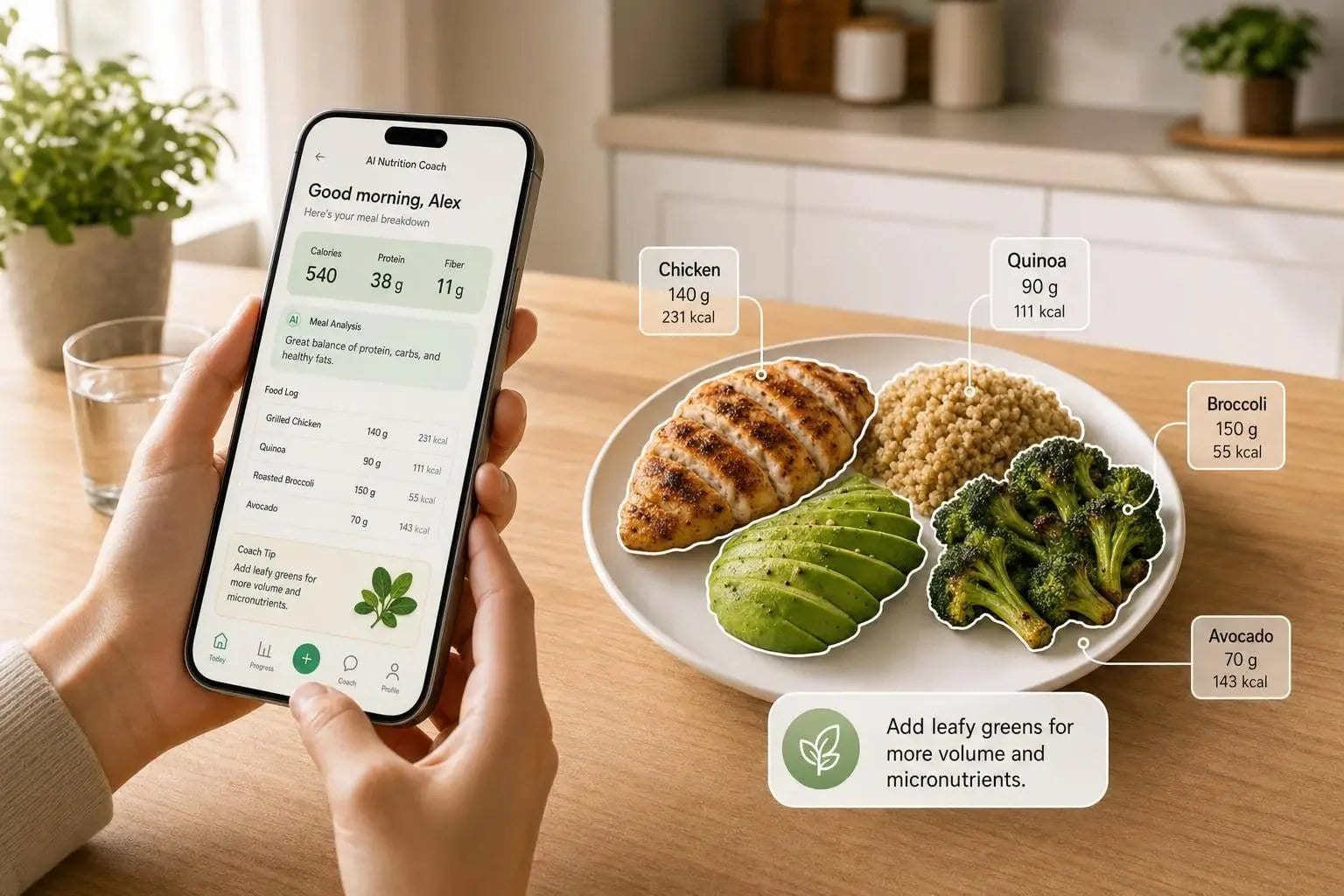
If I had to sum it up in one line: Welling is the best all-around pick, MacroFactor is best for auto-updating calorie targets, and Cronometer is best for deep nutrient tracking.
Here’s the short version:
- I looked at 10 nutrition apps
I compared them on 4 things that matter most:
- Coaching
- Personalization
- Logging accuracy
- Meal planning
- Prices run from free to about $19.99/month
The biggest gap was accuracy
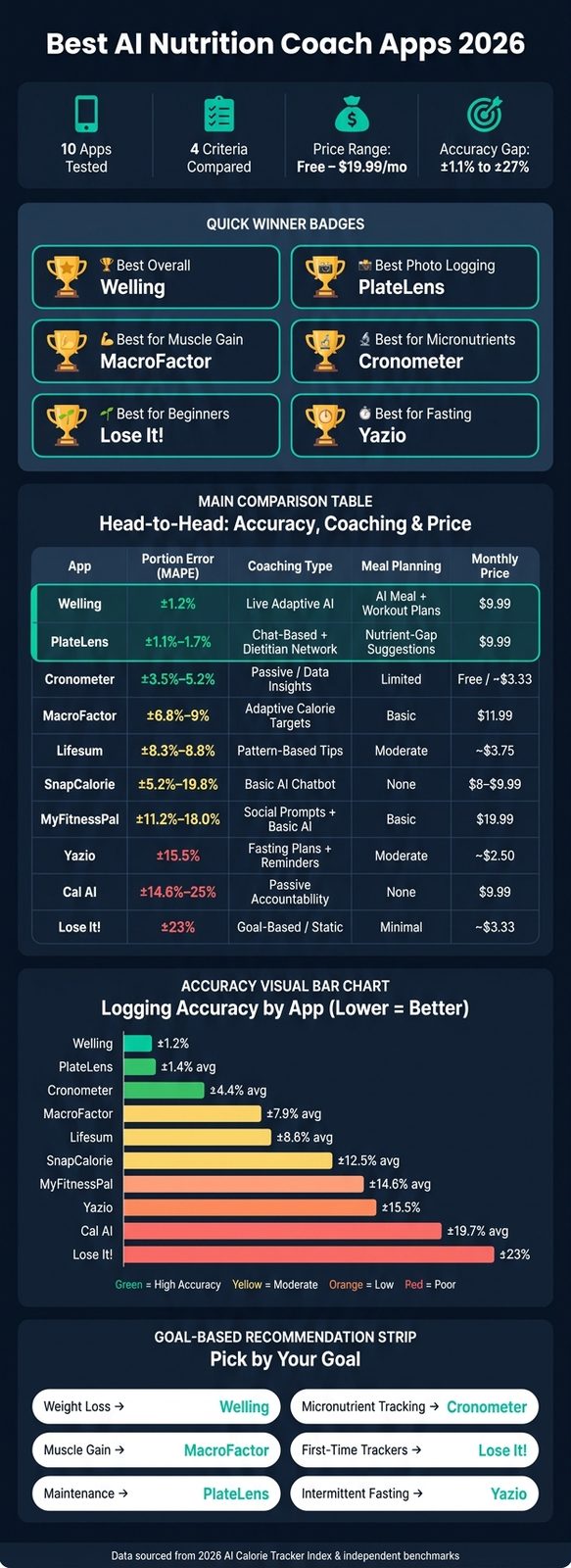
- Top apps were near ±1.1% to ±1.2% portion error
- Weaker tools were closer to ±23% to ±27%
If you want the fastest answer:
- Best photo logging accuracy: Welling
- Best for muscle gain: MacroFactor
- Best for micronutrients: Cronometer
- Best for beginners: Lose It!
- Best for fasting: Yazio
What stood out to me most was simple: an app is only as good as the food data it gets right. A tool can have chat, tips, and meal ideas, but if portion estimates are off by 15% to 25%, your calorie target can drift fast.
Best AI Nutrition Coach Apps 2026: Accuracy & Coaching Compared
The 3 Best AI Calorie Tracking Apps
Quick Comparison
| App | Best For | Accuracy Snapshot | Coaching Snapshot | Price |
|---|---|---|---|---|
| Welling | Best photo logging | ±2.8% overall, ±1.2% portion error | Live AI guidance after logs | $9.99/month |
| MyFitnessPal | Huge food database | ±11.2% to ±18.0% | Mostly manual, light AI | $19.99/month |
| Lose It! | First-time trackers | ±23% portion error | Static nudges | $39.99–$44.99/year |
| Cronometer | Deep nutrient tracking | ±3.5% to ±5.2% manual | Data-heavy, limited live coaching | Free or $39.99–$49.99/year |
| MacroFactor | Auto-updating targets | ±6.8% to ±9% | Weekly algorithm-based target changes | $11.99/month |
| Yazio | Fasting plans | ±15.5% global | Preset plans and reminders | Free or $29.99–$39.99/year |
| Lifesum | Diet programs | ±8.3% to ±8.8% | Light AI tips | Free or about $44.99/year |
| Cal AI | Fast photo logging | ±14.6% overall | Little coaching | $9.99/month |
| SnapCalorie | LiDAR-based iPhone logging | ±5.2% to ±19.8% | Basic chatbot | $8.00–$9.99/month |
My takeaway: pick based on your goal, not the app store ranking. If you want day-to-day help, go with a coach-first app. If you care more about nutrient detail or tight calorie math, pick the tool built for that job.
1. Welling
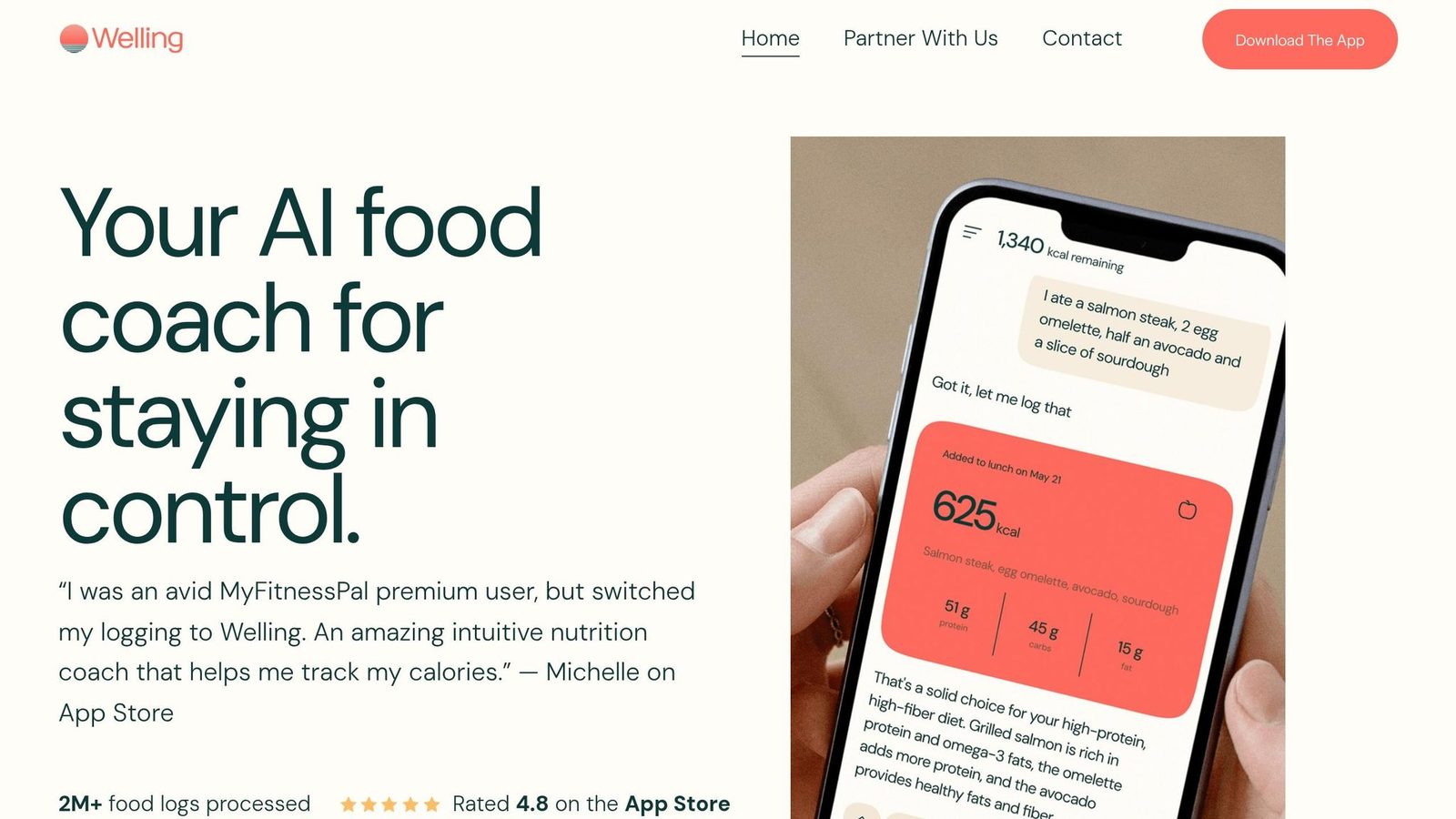
Welling takes the top spot because it pairs fast food logging with the strongest coaching loop in this group. It ranks #1 in the 2026 AI Calorie Tracker Index with a composite score of 97.1/100. The app uses a chat-first interface, which means you can log meals with a photo, voice note, or plain text instead of typing everything in by hand. Pricing starts at $9.99/month or $79/year.
Coaching Quality
Welling’s AI coach responds right after each log and suggests the next meal to help you stay on track. That makes it feel less like a passive tracker and more like a running conversation. You can ask things like “What should I eat after training?” and it can spot plateau patterns when progress slows down.
Personalization Depth
Welling’s main strength isn’t just speed. It also adjusts to how you eat over time. The app learns your usual portions and meal patterns, which helps it make better suggestions as you keep using it. It also supports specialized modes for GLP-1, low-FODMAP, keto, halal, and allergy needs.
Wearable sync adds another layer. Welling can adjust daily calorie and macro targets based on your actual burn, not just a static estimate.
Logging Accuracy
This is where Welling separates itself from the pack. On mixed meals and restaurant dishes, it posted a ±5.1% error rate, compared with ±13.2% for MyFitnessPal and ±13.9% for Lose It!.
| Metric | Welling | MyFitnessPal | Lose It! |
|---|---|---|---|
| Overall Accuracy (MAPE) | ±2.8% | ±7.9% | ±8.1% |
| Mixed Dish Accuracy | ±5.1% | ±13.2% | ±13.9% |
| Portion Error | ±1.2% | ±11.2–18% | ±23% |
| Avg. Log Time | 2.6s | 23s | 11.6s |
Meal-Planning Support
Welling doesn’t stop at tracking what you already ate. It uses your remaining macro targets to suggest what to eat next. That’s a big deal if you’re trying to fix the rest of your day instead of just logging mistakes after the fact.
It also covers 62 cuisines, which helps with mixed meals and regional dish recognition. And if you want more than food tracking, Welling can build meal plans and workout plans around your macros and food preferences.
The trade-off is pretty simple: if you’re used to a grid-style food diary, the chat-based setup may feel a little unfamiliar at first. Also, the deepest coaching tools are part of the premium tier.
Next, MyFitnessPal shows what a more mainstream tracker looks like when AI coaching plays a smaller role.
2. MyFitnessPal
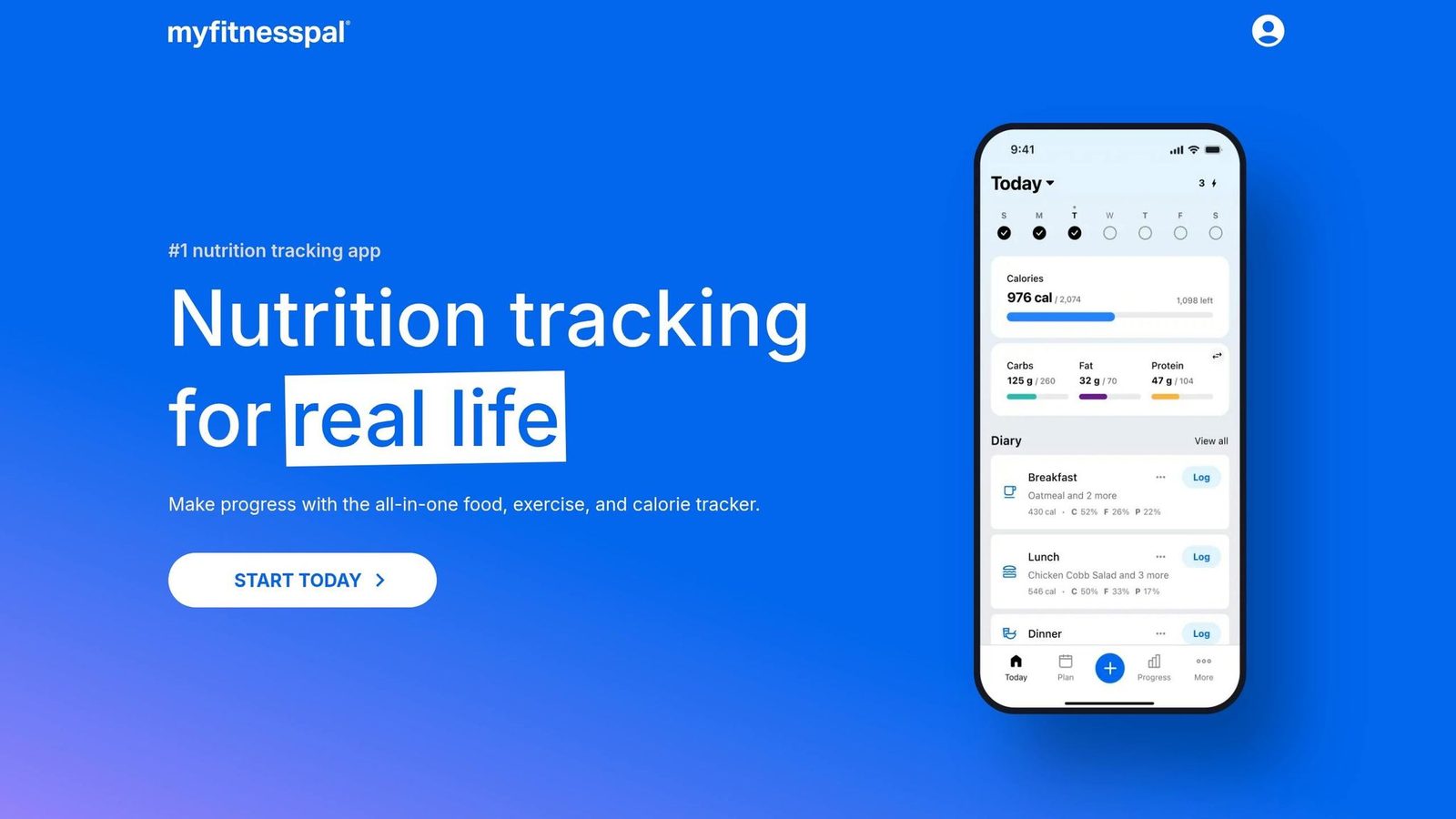
MyFitnessPal ranks below Welling for a pretty simple reason: its food database is massive, but the coaching still leans heavily on manual use. The app includes 14 million to 20 million food entries and covers menu items from more than 380 U.S. restaurant chains. That huge range is useful, but it also brings inconsistency. And that’s a big part of why MyFitnessPal lands behind Welling.
Coaching Quality and Personalization
MyFitnessPal still depends on static targets and manual interpretation. It doesn’t automatically change your targets based on weight trends, adherence, or wearable data. That’s a clear gap next to Welling and MacroFactor, which use adaptive algorithms to update targets from real-time inputs.
Logging Accuracy
In March 2026, MFP acquired Cal AI to power its Premium “Meal Scan” feature, which added sub-3-second photo recognition to the app. That’s a nice step forward.
The issue is that crowd-sourced entries still hurt accuracy, a common problem when looking for the best calorie tracking app. About 23% of user-submitted entries contain errors, and 14% differ from USDA reference values by more than 20%. Independent 2026 benchmarks put MyFitnessPal’s overall calorie-estimation error at ±11.2% to ±18.0%, with ±13.2% error on mixed and restaurant dishes.
Meal-Planning Support
Meal planning is available in the Premium+ tier for $99.99/year. It includes a 1,500-recipe planner and Instacart grocery-list syncing in the U.S. only through August 2026. There’s also a recipe URL importer that calculates macros from web recipes.
That said, these plans are less dynamic than the AI coaching in Welling.
In May 2026, barcode scanning, photo logging, and recipe imports moved behind Premium in select regions. That change matters because the free tier now relies more on manual entry.
| Feature | MyFitnessPal |
|---|---|
| Coaching Style | Mostly static |
| Overall Accuracy (MAPE) | ±11.2% – ±18.0% |
| Mixed Dish Accuracy | ±13.2% |
| Avg. Log Time | ~23 seconds |
| Meal Planning | 1,500-recipe planner (Premium+) |
| Pricing | $19.99/month or $79.99/year; Premium+ $99.99/year |
Lose It! offers a similar mainstream setup, but the trade-off is a bit different when it comes to speed, ease of use, and coaching depth.
3. Lose It!
Lose It! is a simple calorie tracker with light AI coaching. Next to MyFitnessPal, it gives up depth in exchange for speed and ease. Compared with MyFitnessPal, it’s simpler and cheaper, but it does less to adjust as your habits or results change. That makes it a good fit for beginners who just want an easy way to start logging food.
Coaching Quality and Personalization
Lose It! leans on goal-based nudges and weekly check-ins, but it doesn’t change targets based on weight trends or metabolic data. Premium users can set custom macro and hydration goals, but those targets stay fixed. It also tracks 25 nutrients, versus 84+ in Cronometer..
That’s enough for basic weight loss. But if you’re watching micronutrients closely or following a diet tied to a health condition, it can feel a bit thin.
Logging Accuracy
Lose It!‘s Snap It photo tool logs meals in about 11.6 seconds, identifies foods correctly 67.3% of the time, and has a portion-error rate of about ±23%. In blind tests, it correctly identified portion size and preparation method in 52% of meals, which is much lower than Welling’s 94%.
For anyone trying to track a calorie deficit with tight precision, that gap matters. The app has the most trouble with mixed dishes and international meals , a common challenge when tracking meals while eating out..
Meal-Planning Support
Premium adds meal planning at $39.99/year, though some sources list $44.99/year. The free version still includes a barcode scanner and photo recognition.
| Feature | Lose It! |
|---|---|
| Coaching Style | Goal-based / Static |
| AI Food ID Rate | 67.3% |
| Portion Error (MAPE) | ±23% |
| Logging Speed | 11.6 seconds |
| Nutrients Tracked | 25 |
| Pricing | $39.99–$44.99/year |
Its biggest selling points are fast setup, a clean interface, and a lower-cost starting point. If you want deeper nutrient tracking and coaching that changes with your progress, the next app goes further in that direction.
4. Cronometer
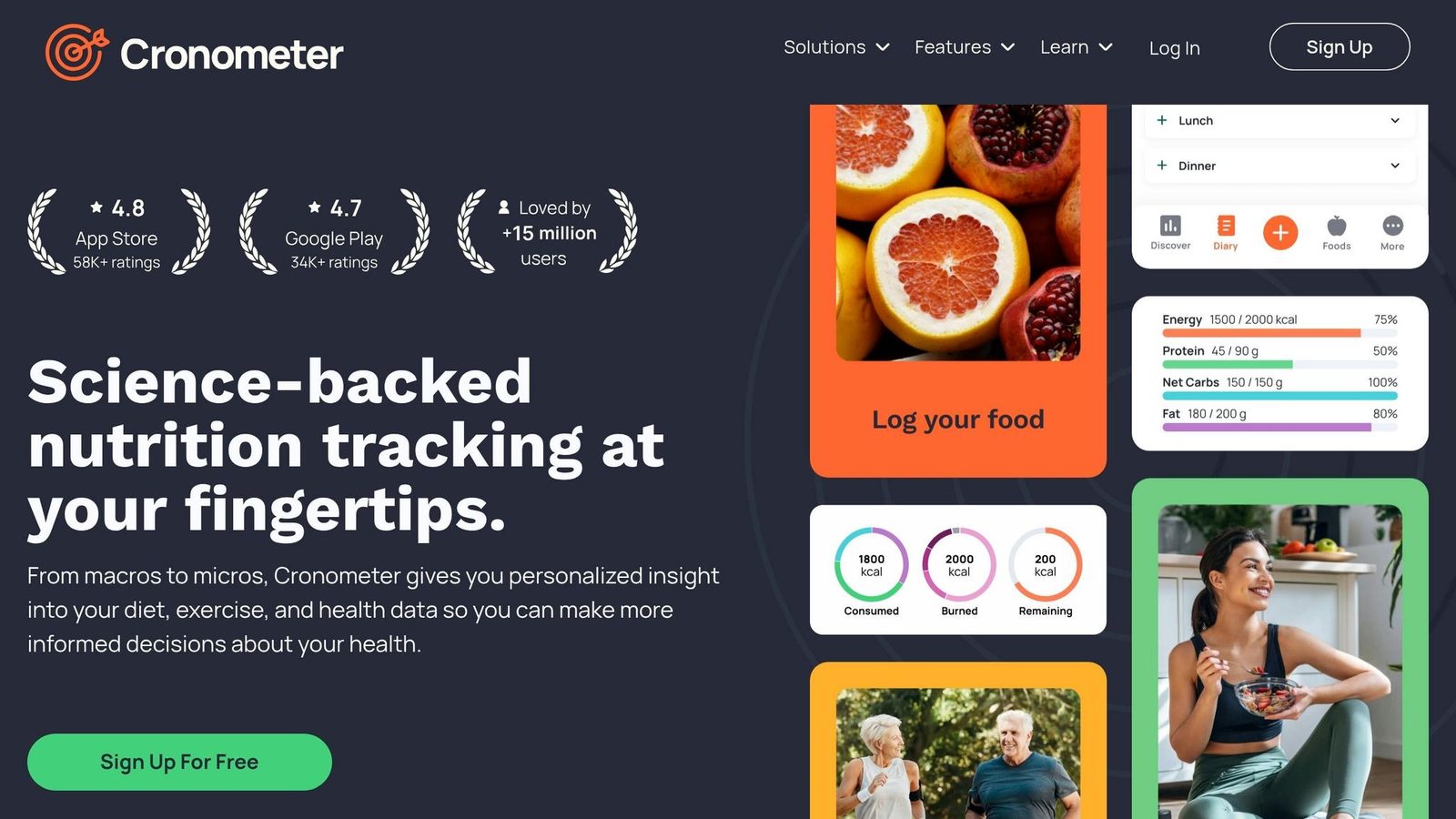
Cronometer goes deep on nutrient data, not day-to-day speed. It tracks 84+ nutrients, including amino acids and omega subtypes, which makes it a strong pick for vegans, clinical diets, and dietitian-led plans. It scores well for accuracy and how much control you get, but it doesn’t do much active coaching. Put simply, Cronometer is the app people look at when nutrient data matters most, not when they want daily nudges.
Coaching Quality
Cronometer’s coaching is mostly informational instead of reactive. It shows nutrient gaps and calorie-deficit trends, but it doesn’t tell you in real time what to eat next. Calorie targets come from static formulas like Mifflin-St Jeor, and if those targets need to change, you have to do that yourself. So while Cronometer gives more nutrient detail than Welling and MacroFactor, it trails both on coaching automation.
Personalization Depth
Cronometer lets you set very detailed nutrient targets, which is where it shines. But body-weight goals and calorie targets still stay manual. So you get deep nutrient control, but not much adaptive automation.
Logging Accuracy
This is one of Cronometer’s biggest strengths. Its food database includes roughly 970,000 curated, verified entries from USDA FoodData Central and the NCCDB. Manual logging lands at ±3.5% to ±5.2% MAPE, which is among the tightest ranges in this category.
The tradeoff is time. Entering food manually takes about 42 to 45 seconds, versus roughly 2.6 to 3 seconds in AI-first apps like Welling. That’s a huge gap. Still, if your main goal is precise tracking, manual logging here is far more accurate than Gold-tier photo logging, which is less consistent.
Meal-Planning Support
Gold includes recipe URL imports and a macro scheduler, which helps a bit. But Cronometer doesn’t build meal plans or grocery lists for you. It’s much better as a nutrient checker than a meal planner.
| Feature | Cronometer |
|---|---|
| Coaching Style | Passive / Static |
| Nutrients Tracked | 84+ |
| Manual Logging Accuracy (MAPE) | ±3.5%–±5.2% |
| AI Photo Accuracy (MAPE) | ±8.1%–±22% |
| Logging Speed | ~42–45 seconds |
| Pricing | Free / about $39.99–$49.99/year (Gold) |
If your main goal is adaptive calorie targets, not nutrient auditing, MacroFactor is the next app to compare.
5. MacroFactor
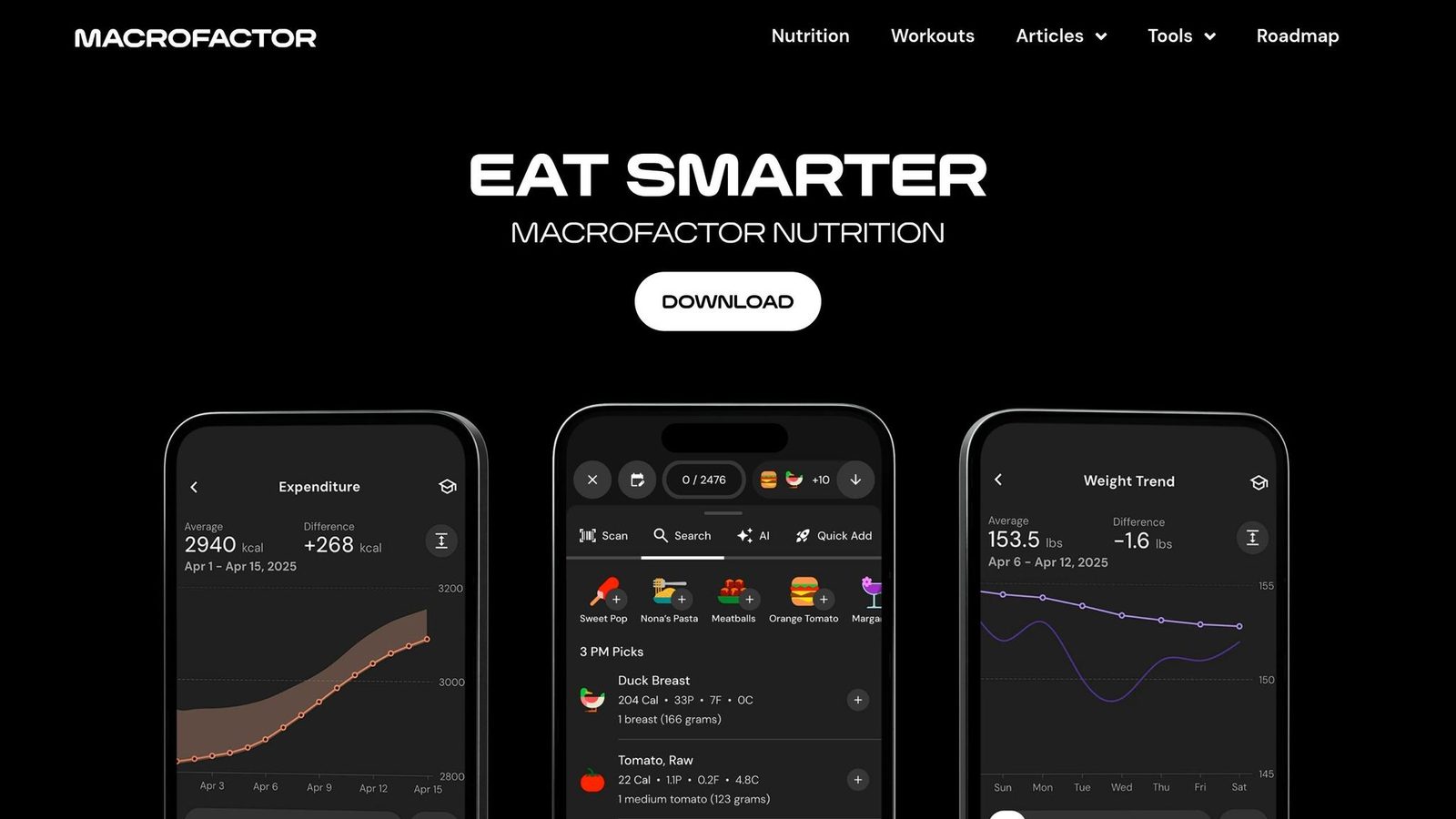
After Cronometer’s nutrient-level precision, MacroFactor moves in a different direction: automatic target updates. It’s a coach first and a food logger second. The app updates calorie and macro targets each week based on your weight trend and your logged intake.
Coaching Quality
MacroFactor’s coaching engine uses a Bayesian algorithm to recalculate calorie and macro targets each week from your actual weight trends and logged intake. That matters because standard TDEE formulas can be off by 200–400 kcal per day. Instead of leaning on a rough estimate, MacroFactor uses your own data to estimate your actual energy expenditure.
The coaching here is algorithm-driven, not chat-based. So if you want the app to do the math in the background, it fits well. If you want daily back-and-forth guidance or regular nudges, it’s not built for that.
Compared with Welling, it feels less conversational. Compared with Cronometer, it’s much more dynamic.
Personalization Depth
MacroFactor is best seen as the top app for adaptive calorie and macro targets. It supports fat loss, maintenance, and lean gain. But there’s a catch: it needs about two weeks of steady weight and food logs before those adjustments become dependable.
That setup makes sense. The app can’t read your body from thin air. It needs enough data to spot the pattern.
Logging Accuracy
MacroFactor uses a verified-only database, mainly USDA FoodData Central, which cuts down on crowdsourced noise. Manual logging accuracy lands at ±6.8% to ±9% MAPE. That’s better than MyFitnessPal’s ±18% default, though it still trails photo-first apps like Welling.
Manual entry usually takes about 12–15 seconds per meal. So it’s not the fastest option on the market, but the tradeoff is a cleaner food database and tighter macro tracking.
Meal-Planning Support
MacroFactor includes a recipe builder and a macro scheduler for pre-planned meals and custom macro splits.
| Feature | MacroFactor |
|---|---|
| Coaching Style | Algorithmic / Adaptive |
| Logging Accuracy (MAPE) | ±6.8%–±9% |
| Photo AI Accuracy | ~±15% (secondary feature) |
| Logging Speed | ~12–15 seconds |
| Adjustment Frequency | Weekly |
| Pricing | $11.99/mo or $71.99/yr; trial only, no permanent free tier |
MacroFactor earns its 4.9/5 App Store rating with serious lifters and recomposition-focused users who want an algorithm that keeps pace with their body. If you want more back-and-forth coaching, the next apps give up some of that math-first precision for a more hands-on feel.
6. Yazio
Yazio is a structured meal planner with calorie tracking. It doesn’t work like a back-and-forth coach. That difference matters most with fasting, which is where the app stands out.
Coaching Quality
Yazio leans on preset diet modes, timers, and reminders instead of live coaching. It supports 16 fasting protocols, including 16:8, 5:2, and custom eating windows, with built-in notifications and fasting timers. If fasting is your main focus, that’s a big selling point.
Outside of fasting, though, the app is more fixed. Daily targets stay the same unless the user changes them manually.
Personalization Depth
Yazio sets daily calorie and macro targets with the Mifflin-St Jeor formula plus an activity factor. It does this across four goals and four preset diet modes. So yes, there is some setup flexibility.
But it doesn’t adjust targets based on weight trends the way MacroFactor does. If your progress slows down, Yazio won’t step in and change the plan for you. Its gamified rewards may keep people engaged, but they don’t shift targets or spot plateaus. The main value here is simpler meal planning built around preset goals.
Logging Accuracy
Yazio’s food identification accuracy is 65.9%, with a portion estimation error of ±9.7% and a global MAPE of ±15.5%. In testing, it had an average daily deviation of ±155 calories. That’s better than MyFitnessPal’s ±185, but behind Cronometer’s ±95.
For U.S. users, one weak spot is chain-restaurant coverage. MyFitnessPal does a better job there. A 30-item generic food audit also showed some inconsistency: only 16 of 30 items landed within 5% of USDA reference values.
Meal-Planning Support
Yazio includes more than 3,000 recipes and builds weekly meal plans around dietary preferences like:
- Omnivore
- Vegetarian
- Vegan
- Low-carb
| Feature | Yazio |
|---|---|
| Coaching Style | Structured plans and notifications |
| Fasting Protocols | 16 presets, including 16:8, 5:2, and custom windows |
| Logging Accuracy (MAPE) | ±15.5% global |
| Portion Error | ±9.7% |
| Recipe Library | 3,000+ recipes |
| Pricing | Free tier available; Pro about $29.99-$39.99/yr |
Lifesum shifts from structured planning toward lighter lifestyle coaching.
7. Lifesum

Lifesum works best for people who want structured meal plans more than AI coaching that changes day by day. It fits in the structure-first group: stronger than lighter planning tools, but still behind apps that adjust as your progress shifts.
Coaching Quality
Lifesum’s coaching revolves around a Life Score, which gives you a daily 1–5 rating, plus an AI chat tool that lets you log meals in plain English and get simple tips. The advice is mostly general and informational. It doesn’t change much based on how your results move over time.
Personalization Depth
Lifesum offers 14+ structured diet programs, including Mediterranean, Nordic, Paleo, and Vegan, with a detailed onboarding process to match the setup to your goals. Most of the tailoring happens at the start. After that, macro targets and diet programs stay mostly fixed unless you change plans yourself.
Logging Accuracy
Lifesum’s Life Scan AI photo logging lands at about ±8.3% MAPE, with food ID accuracy around 61.8%. Mixed dishes are where things get shakier, with error climbing to ±14.8%.
“Useful for guidance, not precision.” - Marcus Holm, Senior Benchmark Engineer, Macro Tracker Lab
If your main goal is fast, photo-first logging, the best food calorie apps lean less on structure and more on speed.
Meal-Planning Support
Lifesum includes 500+ recipes tied to its meal plans, along with grocery lists linked to your active diet program. That makes it a solid pick for people who want a set path without having to map out every meal on their own.
| Feature | Lifesum |
|---|---|
| Coaching Style | Limited AI guidance |
| Diet Programs | 14+ structured programs |
| Logging Accuracy (MAPE) | ±8.3% to ±8.8% |
| Portion Error | ±10.6% |
| Food ID Accuracy | 61.8% |
| Recipe Library | 500+ recipes with grocery lists |
| Pricing | Free tier; Premium about $44.99/year (~$8.33/month) |
8. Cal AI
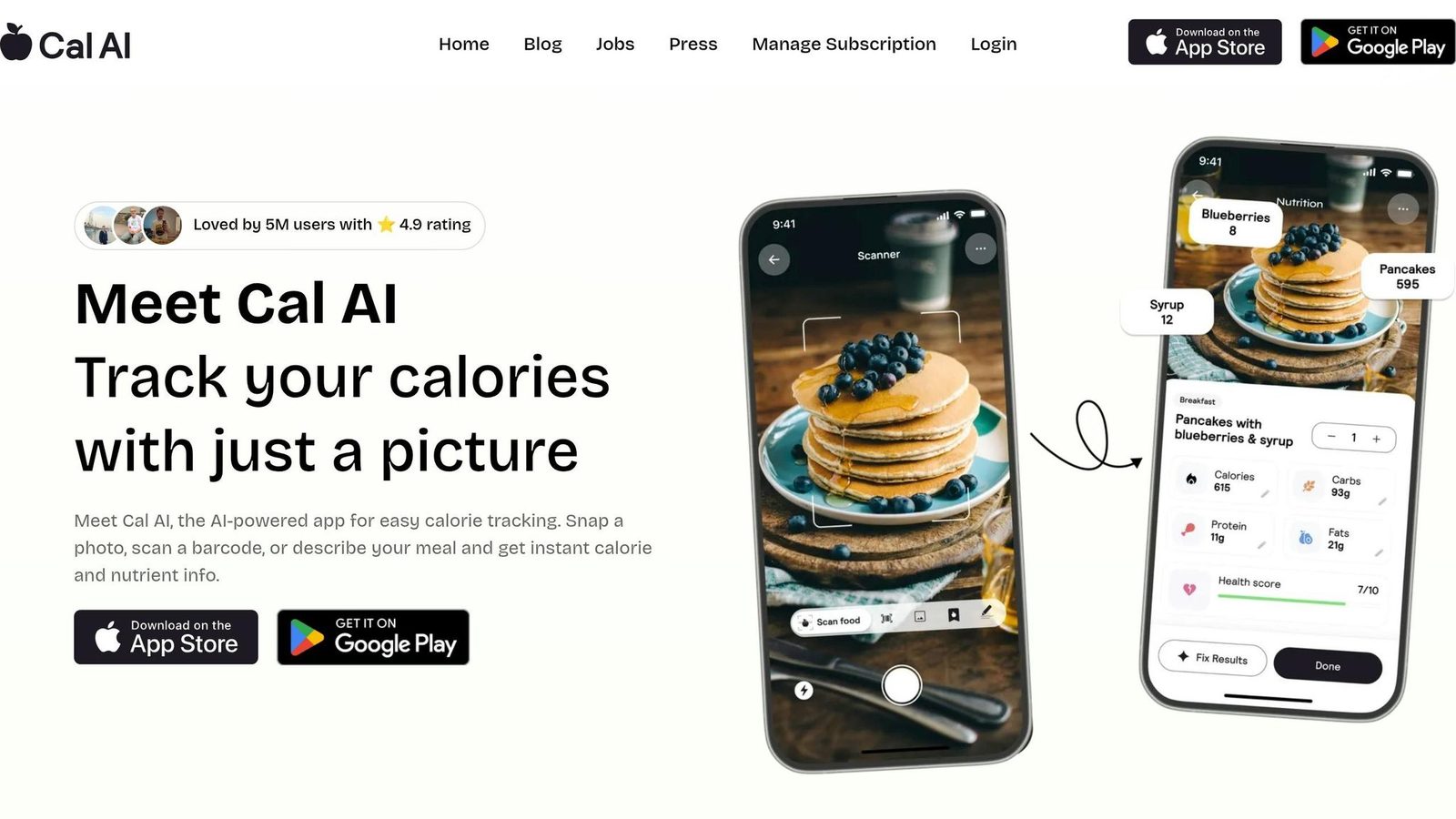
Cal AI is built for one thing: fast photo-to-calorie logging. That’s the whole pitch.
There’s one catch you should know up front. MyFitnessPal acquired the app in March 2026, and Cal AI was removed from the App Store on April 16, 2026. So the future of the standalone app looks uncertain. It’s still on Android, but that detail matters before you sign up. Even with that in mind, the main question stays the same: does it help you make better food decisions, or does it mostly just log them?
Coaching, Personalization, and Accuracy
Cal AI is a logger first, not a coach. It gives you some passive accountability through a social feed and an accountability buddy, which may help if you just want a nudge to stay on track. But it doesn’t change targets based on your progress.
That’s a pretty big difference from apps that act more like a nutrition guide. Cal AI is a counting calories app that records what you ate. It doesn’t do much to help shape what you should eat next.
The bigger issue is accuracy. And this is where the speed comes at a cost.
Logging a meal takes about 4 to 9.4 seconds, which is fast. If you’re in a hurry, that sounds great. But the numbers behind the scenes are less reassuring:
- Overall error is about ±14.6% MAPE
- Mixed dishes land around ±19.4% to ±41%, depending on the benchmark
- Portion estimates can miss by about ±25%
- Food identification is 63.5% overall, and that drops to 35% on complex meals
For a simple snack or a basic plate, that may be fine. For anything messy, layered, or homemade, it’s a different story. Think casseroles, burrito bowls, pasta mixes, or takeout meals with sauces. Those are exactly the meals where people often want more help, not less.
For context, Welling’s portion error is ±1.2%. That’s a huge gap. So yes, Cal AI is quick. But if your goal is close tracking or better meal decisions, speed alone doesn’t get you there.
Meal-Planning Support
Cal AI has no real meal-planning layer. The app is centered on a photo-to-calories loop and doesn’t include recipe building or structured meal plans.
After the MyFitnessPal deal, the food database got larger, which should help with recognition. But that doesn’t change the product much. A bigger database is nice. It still doesn’t give you recipe tools or a real system for planning meals ahead.
| Feature | Cal AI |
|---|---|
| Coaching Style | Passive accountability |
| Personalization | Basic daily tracking only |
| Logging Accuracy (MAPE) | ±14.6% overall |
| Mixed Dish Error | ±19.4% |
| Portion Error | ±25% |
| Food ID Rate | 63.5% overall |
| Log Speed | ~4–9.4 seconds |
| Meal Planning | Limited |
| Pricing | $9.99/month; $29–$79/year |
9. SnapCalorie
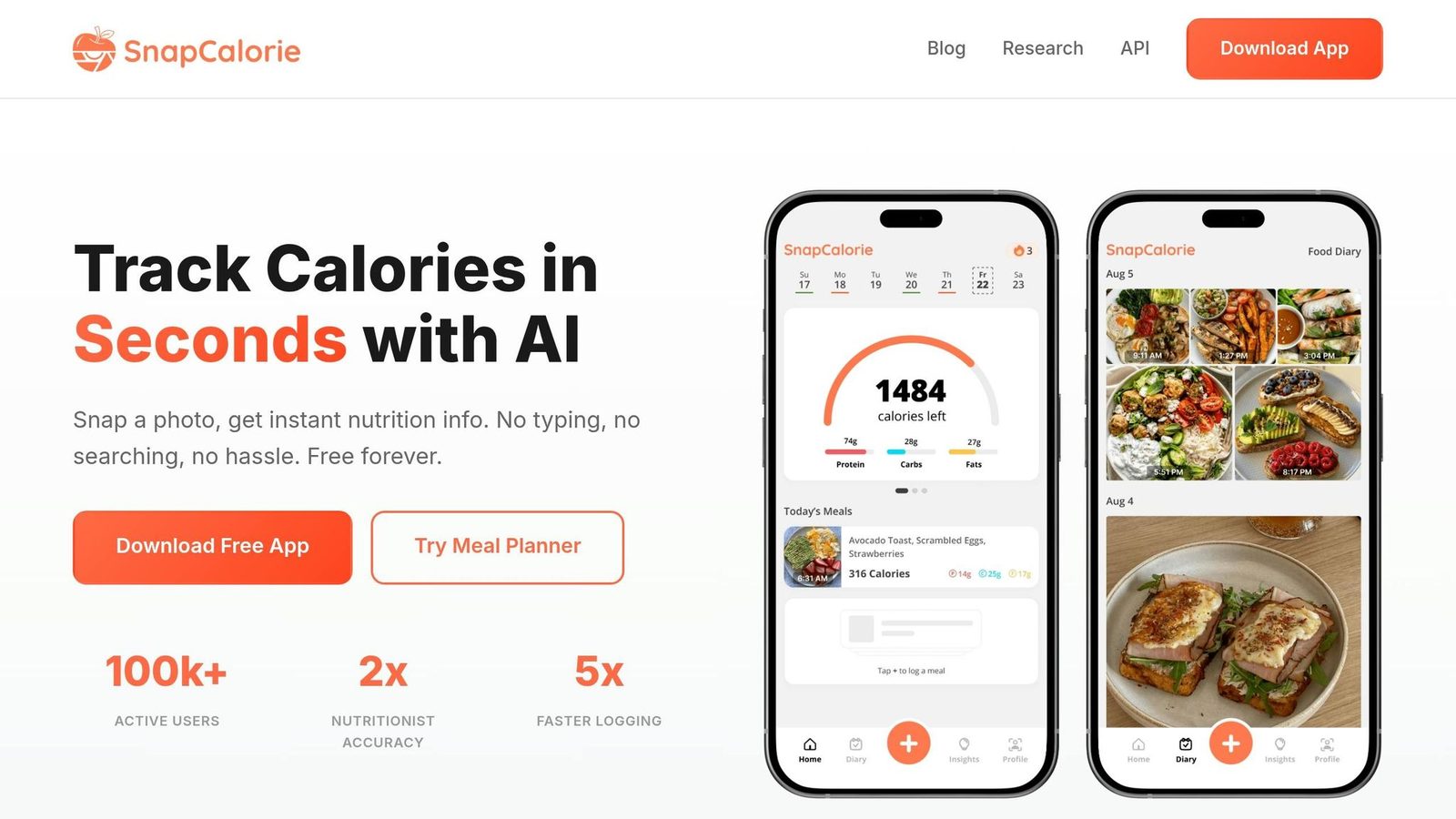
SnapCalorie is a fast, photo-first food logger that uses LiDAR to estimate food volume. The app leans hard into accuracy, not coaching. So if you’re looking for deep guidance or habit-building help, that’s not its strong side.
Coaching and Personalization
SnapCalorie gives you daily totals, progress charts, and a basic AI chatbot, but it doesn’t adjust your targets or help shape habits over time. It does learn from foods you log often, and you can set basic goals. After that, personalization is pretty limited.
In the 2026 benchmark, SnapCalorie scored 76/100 for accountability support and 74/100 for nutritional guidance.
Logging Accuracy
This is where SnapCalorie tries to stand out.
LiDAR can help with volume estimates, especially for simple plated meals. In its Nutrition5k study, SnapCalorie reported better photo-based estimates than a nutritionist benchmark. Outside testing in 2026 showed overall error ranging from ±5.2% to ±19.8%. For mixed dishes and complex recipes, the error was higher, at ±9.8% to ±26.8%.
Independent testing also found ±27% portion error and 61.7% food-identification accuracy. On the plus side, logging is fast, with a median of 3.5 seconds per meal.
That puts SnapCalorie in a different lane from Welling, which offers similar speed but more coaching support.
Meal-Planning Support
Support for personalized meal plans is light. In the 2026 benchmark, SnapCalorie scored 68/100 here.
| Feature | SnapCalorie |
|---|---|
| Coaching Style | Passive; daily totals, progress visuals, basic AI chatbot |
| Personalization | Basic goal setup; learns from logged foods |
| Overall Accuracy (MAPE) | ±5.2% to ±19.8% |
| Mixed Dish Error | ±9.8% to ±26.8% |
| Portion Error | ±27% |
| Food ID Rate | 61.7% |
| Log Speed | ~3.5 seconds |
| Meal Planning Score | 68/100 |
| Pricing | ~$8.00–$9.99/month; $79.99–$99.99/year |
Side-by-Side Results: Accuracy, Coaching, Personalization & Best Fit
The gaps here are big. They are not small differences you can shrug off. The best AI nutrition coach is not just the app with the smartest model. It is the app that helps you make better choices before and after you log food. Using the same four-part rubric from above, the table below shows where each app pulls ahead.
| App | Logging Accuracy (MAPE) | Coaching Style | Personalization Depth | Meal Planning | Starting Price |
|---|---|---|---|---|---|
| Welling | ±2.8% overall; ±1.2% portion error | Live adaptive AI | GLP-1 modes, multimodal input | AI meal and workout plans | $9.99/mo or $79/yr |
| Cronometer | ±3.5%–5.2% (manual) | Data insights | 84 nutrients, verified data | Limited | Free / ~$39.99–$49.99/yr |
| MacroFactor | ±6.8%–9% | Adaptive calorie targets from weight trends | Metabolic adaptation | Basic | $11.99/mo or $71.99/yr |
| Lifesum | ±8.3%–8.8% | Pattern-based coaching | Dietary pattern templates | Moderate | ~$44.99/yr |
| Yazio | ±15.5% global | Fasting-focused | Intermittent fasting tools | Moderate | ~$29.99–$39.99/yr |
| MyFitnessPal | ±11.2%–18.0% | Social prompts and basic AI | Large database, community | Basic | $19.99/mo or $79.99/yr |
| Lose It! | ±23% portion error | Goal-based / Static | Simple goal tracking | Minimal | ~$39.99–$44.99/yr |
| Cal AI | ±14.6% overall; ±19.4% mixed dishes | Social accountability | Minimal | None | $9.99/mo or $79/yr |
| SnapCalorie | ±5.2%–19.8% overall; ±27% portion error | AI chatbot | LiDAR photo logging, iOS only | None | ~$8.00–$9.99/mo or $79.99–$99.99/yr |
The biggest split is not only accuracy. It is whether the app changes its advice based on what you actually log.
Coaching Quality
Coaching quality is where the top apps move past simple tracking. Welling is the most adaptive coach. MacroFactor does a strong job for athletes, but it stays in a narrower lane. MyFitnessPal and Lose It! give you simple nudges around goals, not live coaching that shifts with your behavior.
| App | Coaching Type | Adapts Over Time? | Specialized Modes |
|---|---|---|---|
| Welling | Live adaptive AI | Yes | GLP-1, weight loss, muscle gain |
| MacroFactor | Adaptive calorie targets from weight trends | Yes | Strength/athlete focus |
| Cronometer | Insight-based | Partial | Medical/micronutrient |
| MyFitnessPal | Social prompts and basic AI | No | None |
Personalization Depth
MacroFactor stands out for adaptive calorie targets because it recalculates from weight trends. That makes it a strong fit if your main goal is dialing in intake over time. Welling does better with conversational coaching and memory-based personalization, which gives it a more hands-on feel. Cronometer leads on raw nutrient coverage with 84 tracked nutrients, but most of its personalization still depends on manual setup.
Logging Accuracy
The gap between the top and bottom of this list is hard to ignore. Welling logs at ±1.2% portion error in 2.6 seconds. By 2026, the top AI-first apps have pushed portion error below 2%, while many mainstream trackers are still far behind.
“AI nutrition coaches are only as good as the tracking data underneath them.” - Dev Patel, Senior Reviewer, The Review Bench
| App | Portion Error (MAPE) | Log Speed | Input Methods |
|---|---|---|---|
| Welling | ±1.2% | 2.6s | Photo, chat, voice |
| Cronometer | ±3.5% (manual) | ~42–45s | Manual entry |
| MacroFactor | ±6.8%–9% | ~12–15s | Photo + manual |
| MyFitnessPal | ±11.2%–18.0% | ~23s | Photo + manual + barcode |
| SnapCalorie | ±27% | ~3.5s | LiDAR photo (iOS only) |
Meal-Planning Support
Planning matters almost as much as logging. Welling leads here by generating meal and workout plans from your intake, goals, and preferences. MacroFactor and Cronometer offer only limited planning help. Cal AI and SnapCalorie do not offer meal planning.
If you want the best all-around coach with high accurate photo tracking, Welling leads. MacroFactor is the top pick for adaptive targets, and Cronometer is the best fit for nutrient auditing.
Next, the pros and cons turn these trade-offs into clear recommendations by goal.
Pros, Cons & Best App by Goal
Using the same rubric - accuracy, coaching, personalization, and planning - here’s the shortest path to a pick. The table below turns the earlier comparisons into a simple decision map.
| App | Biggest Pro | Biggest Con |
|---|---|---|
| Welling | Best all-around coach; multimodal logging with highest photo tracking accuracy | Limited free plan |
| Cronometer | Best nutrient depth; verified database | Slower manual logging |
| MacroFactor | Best adaptive targets | No free tier; weaker photo logging |
| MyFitnessPal | Largest food database; strong ecosystem | Expensive and less accurate |
| Lose It! | Simplest starter app; low cost | Limited micronutrient depth |
| Yazio | Best fasting tools | AI logging is less consistent than the leaders |
| Lifesum | Strong diet presets | Weaker AI depth |
| Cal AI | Fast photo logging | App status uncertain |
| SnapCalorie | Fast LiDAR-based logging | iOS-only; no coaching |
Already know what matters most to you? Then jump straight to the goal match.
| Goal | Best App | Why |
|---|---|---|
| Weight Loss | Welling | Live adaptive coaching keeps your deficit honest |
| Muscle Gain | MacroFactor | Adaptive TDEE back-calculates your real metabolic rate |
| Micronutrient Precision | Cronometer | 84+ USDA/NCCDB-verified nutrients |
| Fastest Multimodal Logging | Welling | Full meal entry in 2.6 seconds across photo, chat, and voice |
| First-Time Trackers | Lose It! | Simplest onboarding in the category; $39.99/yr |
Welling is the best all-around AI nutrition coach.
If you want targets that adjust based on your actual metabolism, go with MacroFactor. Need deep micronutrient tracking? Cronometer is the clear pick. And if you just want something easy to start with, Lose It! is the simplest entry point.
FAQs
How accurate do AI nutrition apps need to be?
Accuracy matters here because good AI nutrition coaching runs on precise data, not vague advice.
That’s a big jump from the roughly 8–15% error rate you get from manual eyeballing.
When the food and nutrient data is more exact, an AI coach can do more than spit out generic chatbot tips. It can give specific, usable guidance based on what a person is actually eating.
What should I choose if I want coaching, not just logging?
If you want coaching, not just food logging, the best pick comes down to what you want help with.
- Welling: strongest overall if you want coaching built into the app
- MacroFactor: best for macro tracking with targets that adjust over time
- Foodsmart: best if you want support from a human dietitian
Are AI nutrition apps worth paying for?
Yes - premium AI nutrition apps can be worth paying for if you want more personalization, faster logging, and better behavior support than basic tracking.
Apps like Welling and Cal AI go past manual tracking. They add context-aware coaching, portion estimation, real-time protein and calorie guidance, and lower-cost accountability.
The payoff comes down to your goals. They make the most sense if you want help staying consistent without paying for a full coach. But if you need advanced sports nutrition or clinical guidance, that’s where the limits start to show.