

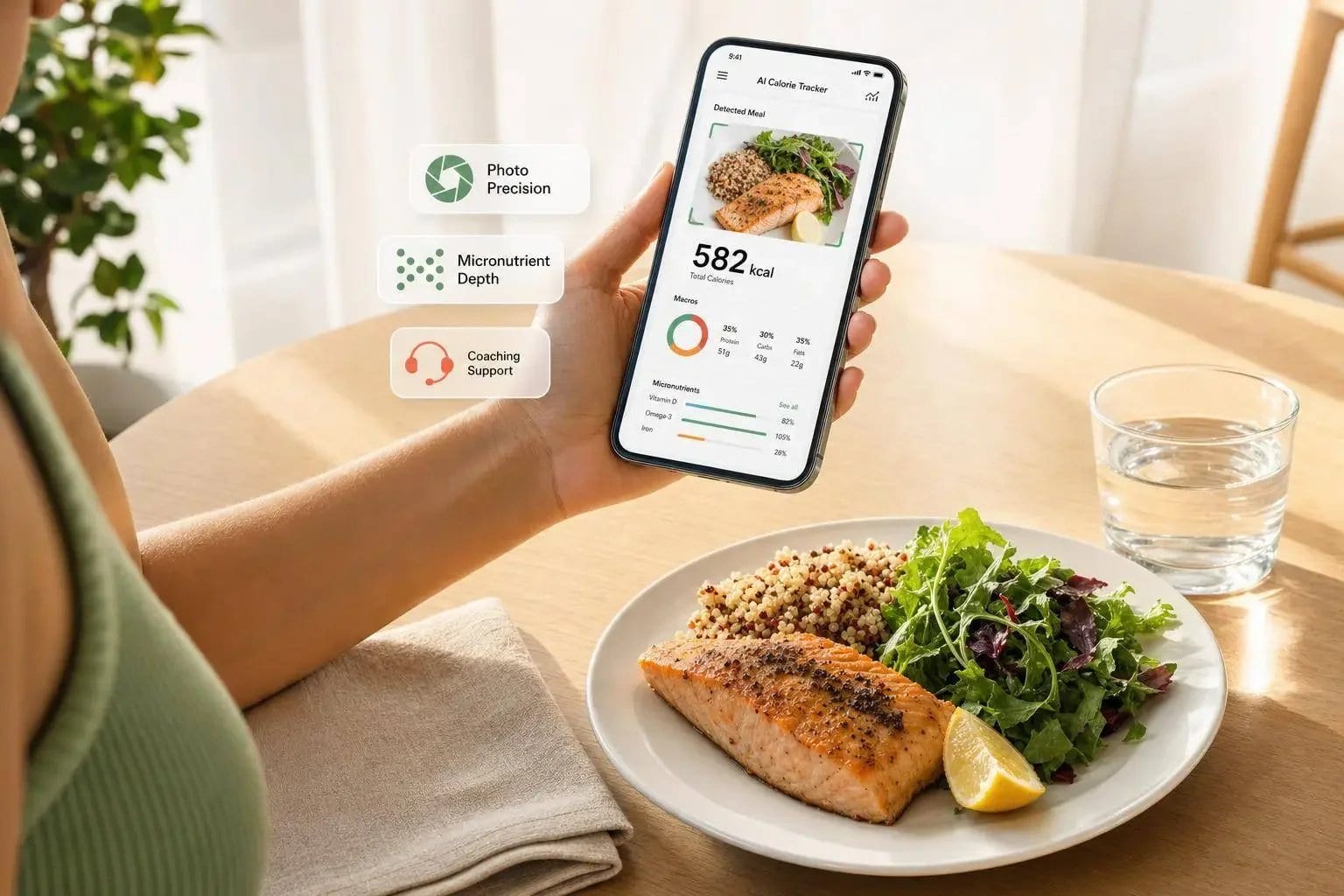
If you want the short answer: Welling is the best pick for most people and is the top choice for photo accuracy, Cronometer is best for micronutrients, and MyFitnessPal is now harder to recommend unless you need its huge food database.
I’d break this down one simple way: AI weight loss apps reduce the need for manual tracking by making logging much faster and, in many cases, more accurate. In the article, AI apps logged meals in about 2.6 to 3.8 seconds, while manual-first apps often took 11 to 78 seconds. The gap in calorie error was also big: Welling at ±0.9%, Cronometer at ±3.9%, and MyFitnessPal at ±18.0%.
Here’s the plain-English takeaway:
- Pick Welling if you want the easiest day-to-day logging with high photo-based accuracy
- Pick Cronometer if you track vitamins, minerals, and lab-style nutrition data
- Pick MacroFactor if you want cut/bulk coaching based on weight trends
- Pick Lose It! if you want a lower-cost starting point
- Pick MyFitnessPal if you need chain restaurant and branded food lookup more than tight accuracy
- Pick Yazio if fasting is your main focus
- Pick Lifesum if you like diet plans and routine-based tracking
- Pick SnapCalorie if you want fast photo logging for simple meals
- Skip Cal AI unless you only care about casual photo logging, since its error rate is much higher and its app status changed in 2026
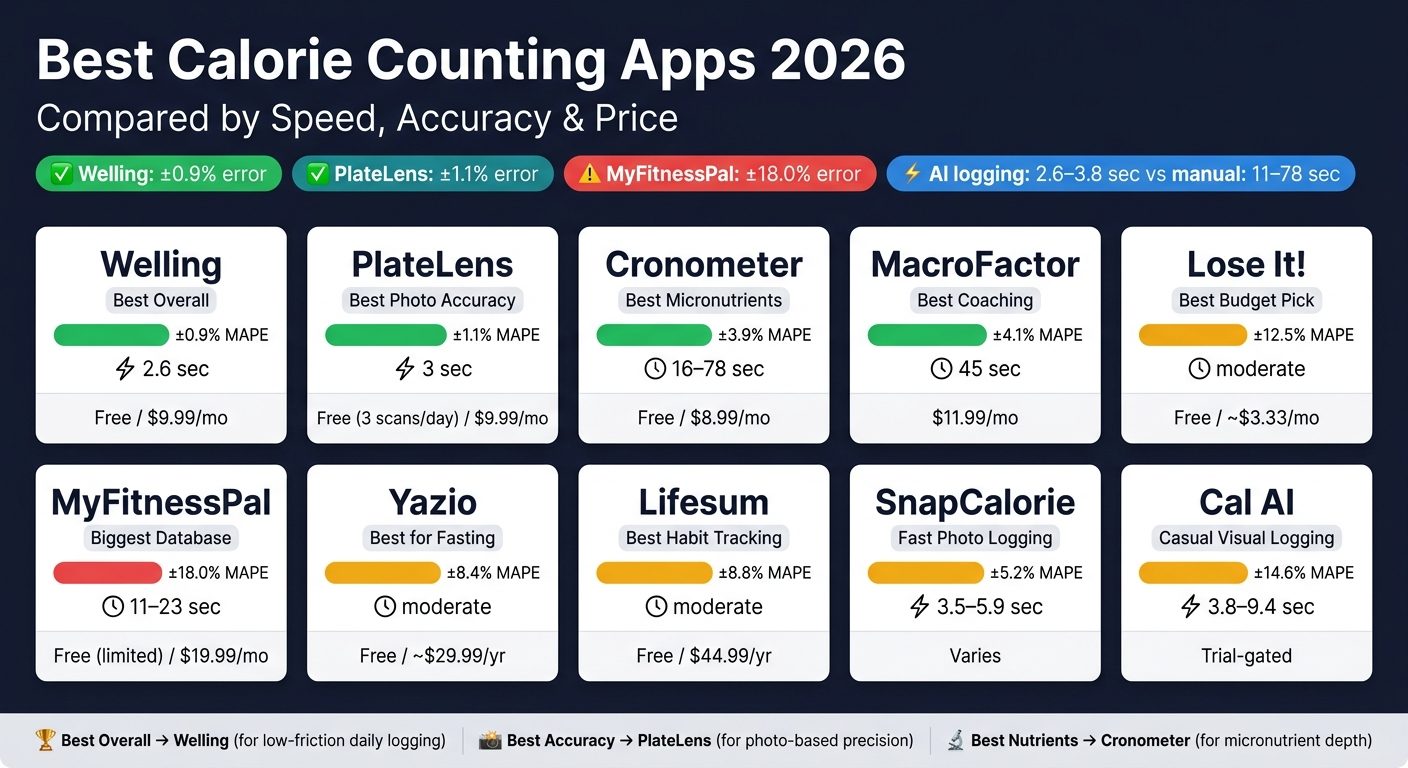
Best Calorie Counting Apps 2026: Speed, Accuracy & Price Compared
I Tried & Ranked Every Calorie Tracking App
Quick Comparison
| App | Best For | Main Tradeoff | Starting Point |
|---|---|---|---|
| Welling | Low-friction AI logging | No web dashboard | Free tier available |
| Cronometer | Micronutrients | Slower manual logging | Free tier available |
| MacroFactor | Cut/bulk coaching | No free plan | $11.99/month |
| MyFitnessPal | Huge database, chain restaurants | Higher error, more paywalled tools | Free tier available |
| Lose It! | Budget-friendly basics | Mid-level accuracy | Free tier available |
| Yazio | Fasting | Weaker U.S. restaurant coverage | Free tier available |
| Lifesum | Habit/routine tracking | Limited nutrient depth | Free tier available |
| SnapCalorie | Fast photo logging | Mixed dishes are harder | Varies |
| Cal AI | Casual visual logging | High error, weaker long-term outlook | Trial-gated |
So if I were choosing today, I’d keep it simple: Welling and Cronometer for most people, top accuracy, and nutrition detail.
1. Welling
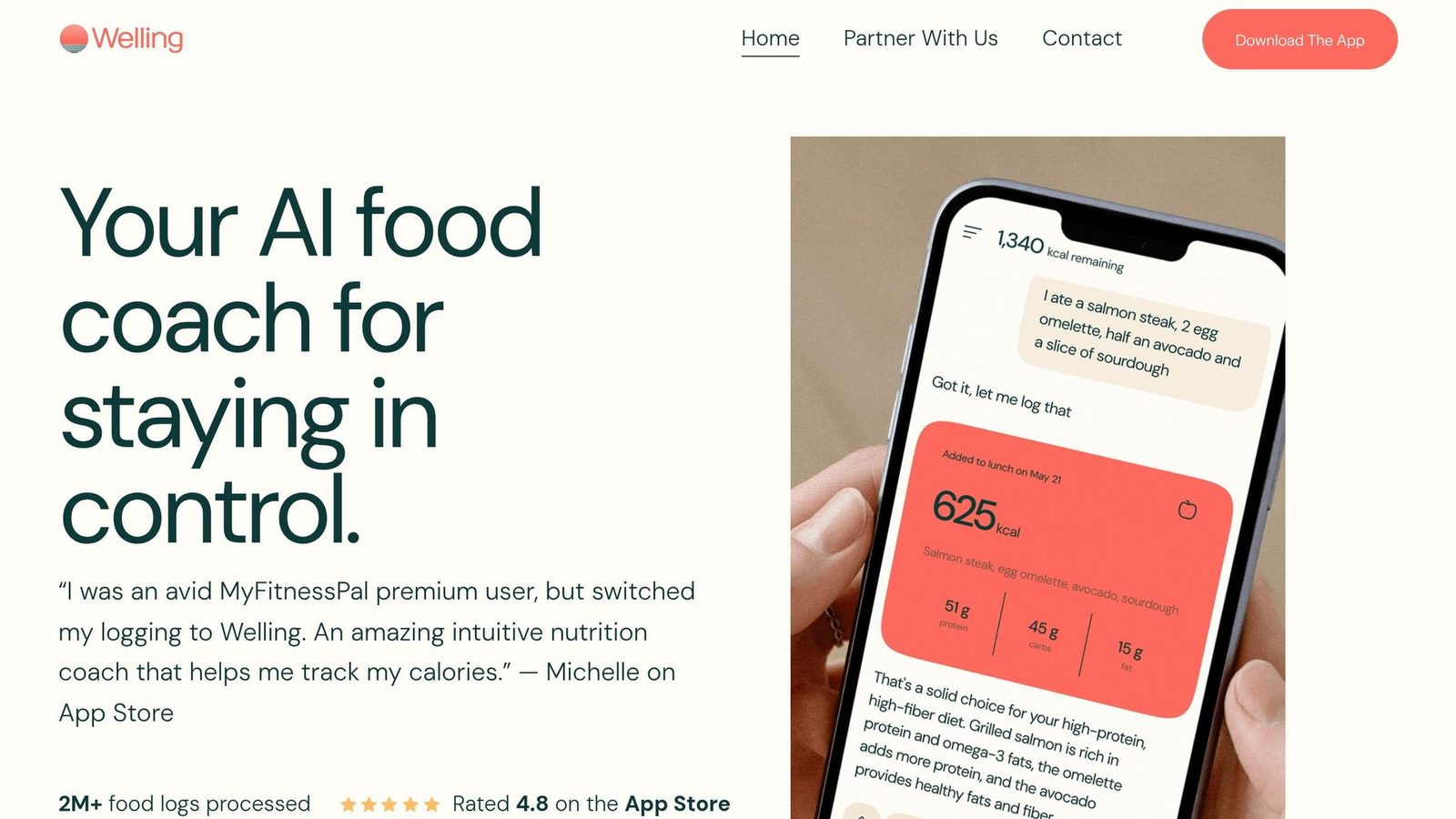
Best Overall | Best AI Logging | Best for Adherence
Welling is the top-ranked calorie-counting app for 2026, with a composite score of 9.7/10 in the 2026 AI Calorie Tracker rankings. It takes the top spot because it pairs fast logging with strong accuracy and high adherence.
Logging Methods
Welling supports photo, voice dictation, and text descriptions. You can snap a photo of your meal, say “two scrambled eggs and half an avocado,” or type the meal in yourself. The app breaks out ingredients one by one, which helps a lot with mixed dishes like burrito bowls and curry. Fast logging sounds great on paper, but it only matters if the numbers are close enough to trust. That’s where Welling’s benchmark results stand out.
Welling averages 2.6 seconds per meal, compared with 11 seconds on MyFitnessPal and 16 seconds on Cronometer. Over days and weeks, that time gap adds up.
Tracking Accuracy
Welling recorded ±2.8% overall error and ±5.1% on mixed and restaurant meals in an 8,500-meal benchmark. That gives it an edge for mixed meals and restaurant food, where manual tracking often slips the most. Its barcode scanner reached a 96% success rate for packaged products, and Welling recognized foods across 94% of countries in a 24-country dataset.
Nutrition Depth and Goal Support
Welling tracks the main nutrition metrics, and the premium plan adds limited micronutrient tracking. It doesn’t go as deep as Cronometer on micronutrients, but for day-to-day use, it covers what most people are likely to check.
For GLP-1 users, Welling has a dedicated mode that enforces protein minimums and tracks medication side effects. The app also uses an adaptive learning system that adjusts to your habits over time, including your usual portion sizes. In 12-week user panels, Welling had the highest daily-log adherence of any app tested.
Pricing: The free tier includes AI-first logging. Premium costs $9.99/month when billed annually, or $19.99/month. There’s also a 7-day free trial, and the app can import up to 90 days of MyFitnessPal history automatically.
Limitations: Welling is mobile-only. There’s no web dashboard, and the Apple Watch app is read-only. So if you like tracking on a desktop, this probably won’t be your pick.
Use Welling if you want the fastest AI-first tracker and don’t mind skipping a web dashboard. If you’d rather have a more manual, database-first setup, MyFitnessPal is the next app to look at.
2. MyFitnessPal
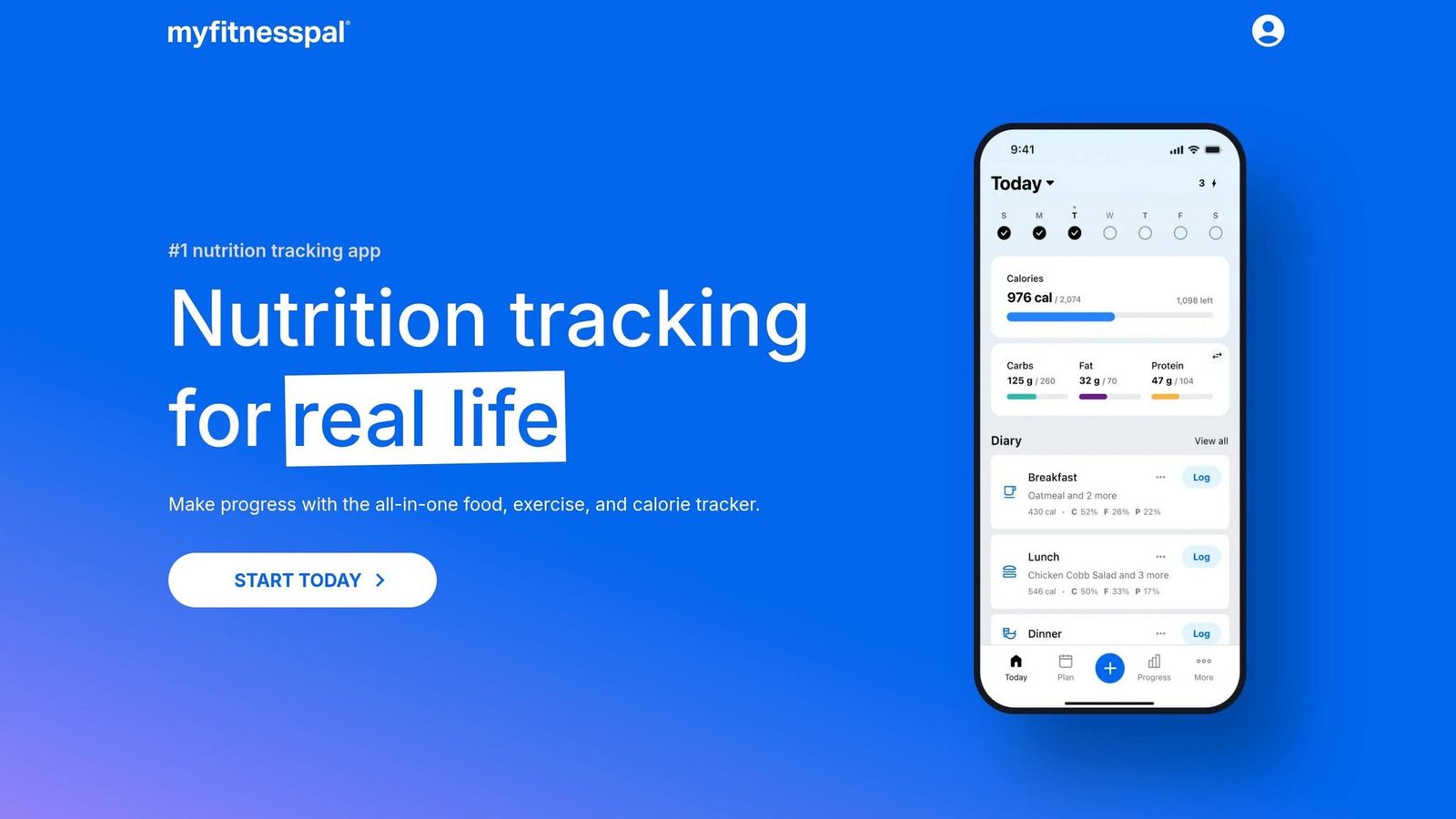
Best for Database Breadth | Best for Chain Restaurant Lookup
MyFitnessPal is still the top pick for manual logging if your main goal is finding almost any food entry you can think of. It has an estimated 17 million to 20 million food entries. That huge database is why it works so well for obscure branded foods and U.S. chain restaurant menu items that other apps still skip.
But there’s a catch. The database is crowd-sourced, so entry quality can vary a lot. In plain English: MyFitnessPal is strongest when you need breadth of lookup, not when you need the fastest logging or the tightest accuracy.
Logging Methods
MyFitnessPal supports several ways to log food:
- Manual search
- Barcode scanning
- Photo meal scan
- Voice entry
- Recipe URL import
As of May 2026, though, barcode scanning, photo meal scan, recipe URL import, and meal-level macro goals were moved behind the Premium paywall. On the free plan, logging takes about 11 to 23 seconds per meal entry, which is much slower than AI-first apps.
MyFitnessPal also acquired Cal AI in March 2026, but the upgraded photo system was not fully live as of May 2026.
The bigger issue isn’t the number of logging options. It’s whether the entry you pick is right.
Database Accuracy
MyFitnessPal has the biggest food database in this group, but that size comes with risk. Because users can add foods, accuracy isn’t always steady. Independent testing puts overall calorie error at around 18%, with restaurant meals reaching ±23.8%.
If you use the app, it’s smart to lean toward entries with a verified checkmark. Even then, those entries can still have mistakes.
That trade-off becomes much clearer when you stack MyFitnessPal against apps built for faster and more steady tracking.
Nutrition Depth and Goal Support
MyFitnessPal handles calories and macros well enough for general weight loss. But it doesn’t go as deep on micronutrients as Cronometer. One thing it still does well is its mature web app, which makes desktop logging a lot easier than with many rivals.
It also misses the coaching and calorie targeting you get in MacroFactor and Welling.
Pricing and limits: The free plan includes ads and now has fewer logging tools. Premium costs $19.99/month or $79.99/year. After the May 2026 paywall changes, the free version became much more limited. And for mixed dishes and restaurant meals, its accuracy lags behind AI-first rivals.
MyFitnessPal fits best if you eat at U.S. chain restaurants often and want the broadest food lookup possible. If your top priority is tighter accuracy or faster logging, the next apps do a better job in those areas.
3. Lose It!
Best Budget Pick | Best for First-Time Trackers
If MyFitnessPal feels bloated or too pricey, Lose It! is a simpler middle ground. It’s the easiest app to get started with. Onboarding takes less than two minutes, and you can log your first meal almost right away.
Logging Methods
Lose It! gives you a few easy ways to log food: barcode scanning, manual search, and Snap It, its photo-based AI logger. Barcode scanning is free and fast. Snap It does a decent job with simple meals, but it can miss some starches and sauces.
Database Accuracy
In 2026 testing, Lose It! came in at about 12% to 13% error overall - better than MyFitnessPal, but still behind Cronometer, and Welling. That’s too much error if you want tight weight-loss tracking.
Put simply, Lose It! makes logging easier, not more exact. So if your main goal is sticking with the habit, it works well. If you need close calorie tracking, it falls short.
Nutrition Depth
Lose It! tracks about 35 nutrients. That’s enough for basic calorie and macro tracking, but it’s far less detailed than Cronometer and MyFitnessPal. If you want close micronutrient tracking, you’ll probably outgrow it fast.
Goal Support and Pricing
Lose It! works best for simple weight loss and habit building. Its premium plan is also one of the cheapest in the category at about $44.99/year.
That’s why it stands out as a strong budget pick. But it’s not the app you choose for precise nutrition tracking.
For users who want deeper nutrition data, Cronometer takes the next step.
4. Cronometer
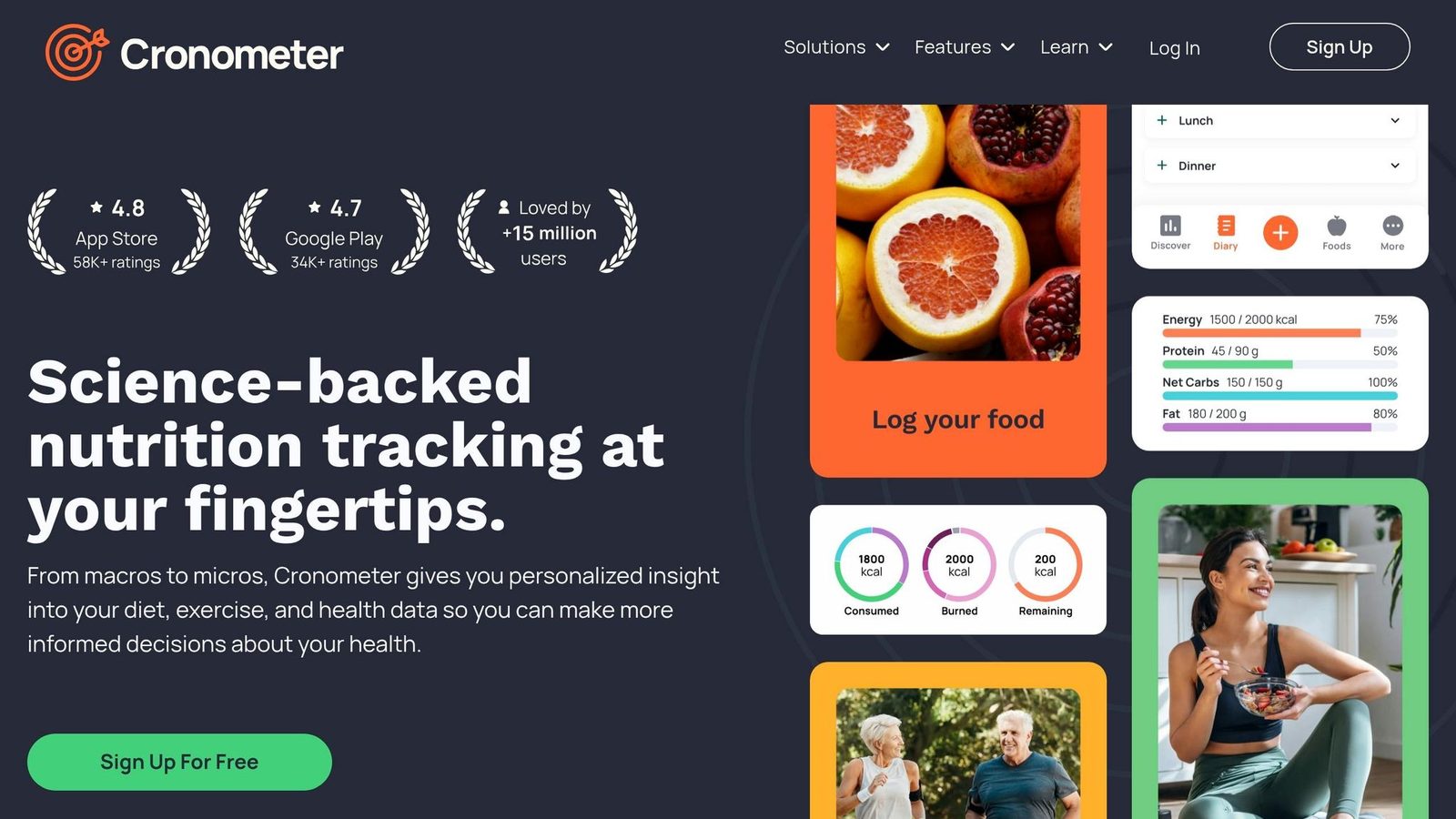
Best for Micronutrient Depth | Best for Clinical Precision
If Lose It! leans simple, Cronometer leans exact. This is the app to pick when nutrient detail and clean data matter most. Its database is verified and curated, not crowd-sourced, and it pulls from sources like USDA FoodData Central and the Nutrition Coordinating Center Food and Nutrient Database (NCCDB).
Logging Methods
Cronometer sticks with manual search and barcode scanning. Its 2025 photo tool still lags behind AI apps like Welling.
The barcode hit rate is about 89%. The downside is time. Logging a meal usually takes 16 to 78 seconds, and 12-week log completeness came in at 61%, compared with 79% to 96% for AI-assisted apps. So yes, it’s slower than AI-first apps. But that slower workflow comes with better nutrient detail.
Database Accuracy
In 2026 testing, Cronometer posted an overall MAPE of about ±3.9%. For restaurant items, accuracy landed at ±9.3% to ±11.4%, ahead of MyFitnessPal at ±23.6% to ±23.8% and Lose It! at ±18.1% to ±19.2%.
On a generic-food probe test, Cronometer scored 30/30. MyFitnessPal scored 11/30.
Cronometer is the better fit when precision matters more than speed. If you care more about verified data than fast logging, this is where it stands out.
Nutrition Depth
Cronometer tracks 80+ micronutrients, including vitamins, minerals, and amino acids. That makes it a good fit for:
- athletes
- people tracking deficiencies
- GLP-1 users who need tight micronutrient tracking
Registered dietitians also recommend it for eating disorder recovery because its manual-first setup avoids the potential triggers that can come with AI portion suggestions.
Goal Support and Pricing
Cronometer does more than food logging. It can also track blood glucose, body measurements, and lab results.
Its free tier includes the full database, 80+ nutrients, and no ads. Cronometer Gold costs about $8.99/month or $49.99 to $54.95/year.
The main trade-off is simple: you get tighter data, but you’ll spend more time logging.
If you want precision with automated calorie coaching, MacroFactor is the next app to compare.
5. MacroFactor
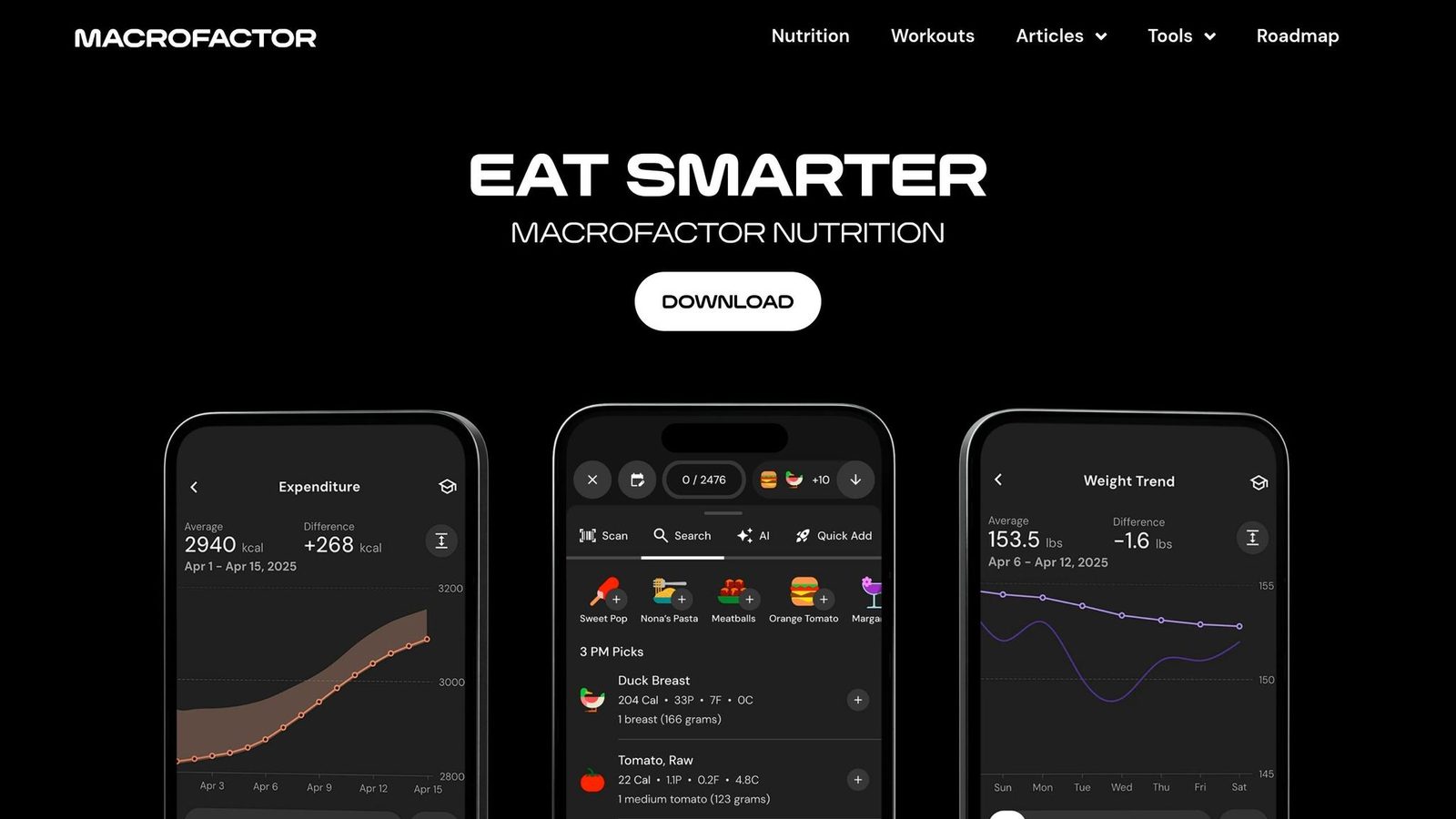
Best for Data-Driven Coaching | Best for Planned Cutting and Bulking Phases
After fast AI logging and huge food databases, MacroFactor takes a different path. It puts coaching first. This app is built for people who want the software to do the math in the background. It estimates your calorie burn based on your intake and weight trends across 14 days, then adjusts your targets each week.
Logging Methods
MacroFactor is a manual-first app. You can log food with manual search, barcode scanning, and voice logging. It also includes custom foods, quick-add entries for repeat meals, and meal planning tools.
That setup makes logging pretty straightforward, but it isn’t the fastest option here. On average, logging takes about 45 seconds per meal. The quick-add tools help a lot if you eat the same breakfast, lunch, or snack on repeat.
Database Accuracy
MacroFactor uses a curated database with more than 1.5 million verified entries. That smaller, cleaner setup helps reduce duplicate listings and wrong entries.
In testing, MacroFactor posted an overall accuracy of ±4.1% MAPE. That puts it ahead of MyFitnessPal and just behind Cronometer, even though its database is much smaller than MyFitnessPal’s. Restaurant entries were the weakest area, with accuracy at ±10.2% MAPE.
Nutrition Depth
MacroFactor tracks 54 nutrition fields. That’s less than Cronometer.
This is an important tradeoff. MacroFactor leans more toward coaching than deep food analysis. If your main goal is tighter nutrient tracking, Cronometer is still the better pick.
Goal Support and Pricing
This is where MacroFactor stands out. Its adaptive coaching is the main draw. The V3 expenditure algorithm, released in October 2024, is 35% more stable than older versions and spots weight trends 1–5 days faster. It also estimates missed intake instead of treating skipped logs like failures.
That makes the app feel a bit more forgiving. Life happens. Missing a log doesn’t automatically throw the whole system off.
There isn’t a free plan. You get a 7-day trial, then pricing starts at $11.99 per month or about $71.99 per year. MacroFactor makes the most sense for serious lifters and physique athletes who want calorie coaching that adjusts with them.
If you want something less technical and easier to stick with day to day, Yazio is next.
6. Yazio
Best for Intermittent Fasting | Best for European Food Coverage
After MacroFactor’s coaching-first model, Yazio moves in a different direction. It puts fasting and meal planning front and center. This is a fasting-first, meal-planning-first calorie counter. It cares less about advanced AI logging or fast-changing coaching, and more about helping you stick to a routine. For that job, it works well.
Logging Methods
Yazio handles the core logging tools you’d expect: barcode scanning, manual search, a recipe importer, and a built-in fasting timer. One nice perk is that barcode scanning is free. That matters, especially since MyFitnessPal put that feature behind a paywall in 2024.
It also has photo logging, but this part feels pretty basic. It lags behind Welling and SnapCalorie when it comes to photo-based food entry.
Database Accuracy
Yazio’s food database has more than 4 million entries. That sounds like a lot, but the catch is quality. It performs best with European packaged foods and is less dependable for U.S. restaurant meals and branded products.
The numbers back that up. In a 30-item audit, only 16 items landed within 5% of USDA reference values. For U.S. restaurant meals, accuracy reaches ±14.2% MAPE. Across the app as a whole, calorie error comes in at ±8.4% MAPE. That’s a bit worse than MyFitnessPal at ±7.9%, and far behind Welling at ±2.8%.
So where does that leave Yazio? It’s a better pick for casual tracking and fasting than for tight macro control.
Nutrition Depth
Yazio tracks 28 micronutrients. For day-to-day use, that’s enough. But it’s still a clear step down from Cronometer, which tracks 80+ fields. If you’re watching iron, B vitamins, or trace minerals closely, you may feel that gap.
Where Yazio stands out is intermittent fasting. It includes 16 fasting protocols, such as 16:8, 5:2, 20:4, and extended fasts up to 48 hours, plus a built-in timer that connects right to your food log. No other app in this group offers that much fasting support.
Goal Support and Pricing
Yazio supports weight loss, muscle gain, and maintenance. It also includes diet templates for:
- low-carb
- high-protein
- vegan
- vegetarian
Its meal-planning tool builds weekly plans around your preferences and schedule. The tradeoff is that it uses the Harris-Benedict formula and adjusts slowly as your metabolism changes.
Price is one of Yazio’s best selling points. The free version includes barcode scanning and basic tracking. Pro costs about $29.99 to $39.99 per year, which makes it one of the lower-cost paid apps in this group.
If you like this simple setup but want something that leans more into day-to-day habits, the next app is Lifesum.
7. Lifesum

Best for Habit Building | Best for Dietary Pattern Tracking
Lifesum goes in a different direction from most apps on this list. It doesn’t try to be the most exact tracker. Instead, it leans on preset diet plans and habit tracking, with calorie logging built into a set routine. So in practice, Lifesum feels more like a structure-first app than a precision-first tracker.
Logging Methods
Lifesum supports barcode scanning, manual search, and photo logging. For day-to-day meals, that setup works fine. But it isn’t as smooth as AI-first apps like Welling when you’re logging mixed dishes or restaurant meals.
That’s the tradeoff with Lifesum. It gives you convenience, but accuracy can slip on meals that are harder to break down.
Database Accuracy
Lifesum’s food database tends to do better with European packaged foods than with U.S. restaurant chains. In benchmark testing, its overall MAPE came in at about ±8.8%.
For more complex restaurant or mixed meals, the error rate can stretch to around ±14.8%. And about 10% of tested entries were off by more than 20% compared with USDA reference values.
That puts Lifesum below the top apps for exact logging, but still ahead of bare-bones trackers when it comes to ease of use.
Nutrition Depth
Lifesum tracks macros and gives basic diet-fit ratings, but micronutrient tracking is pretty limited. If you need deep nutrient detail, this is where it falls short. Compared with Cronometer’s 84+ nutrients, Lifesum doesn’t come close.
Goal Support
Lifesum works best when staying consistent matters more than hitting every number exactly. It includes 20+ meal plans and 12+ structured programs, plus color-coded weekly grids that make patterns easy to spot without digging through raw data.
At $44.99/year, the price is fair, though the free version pushes Premium pretty hard.
If you want AI-first logging instead of plan-based tracking, the next app is a better fit.
8. Cal AI
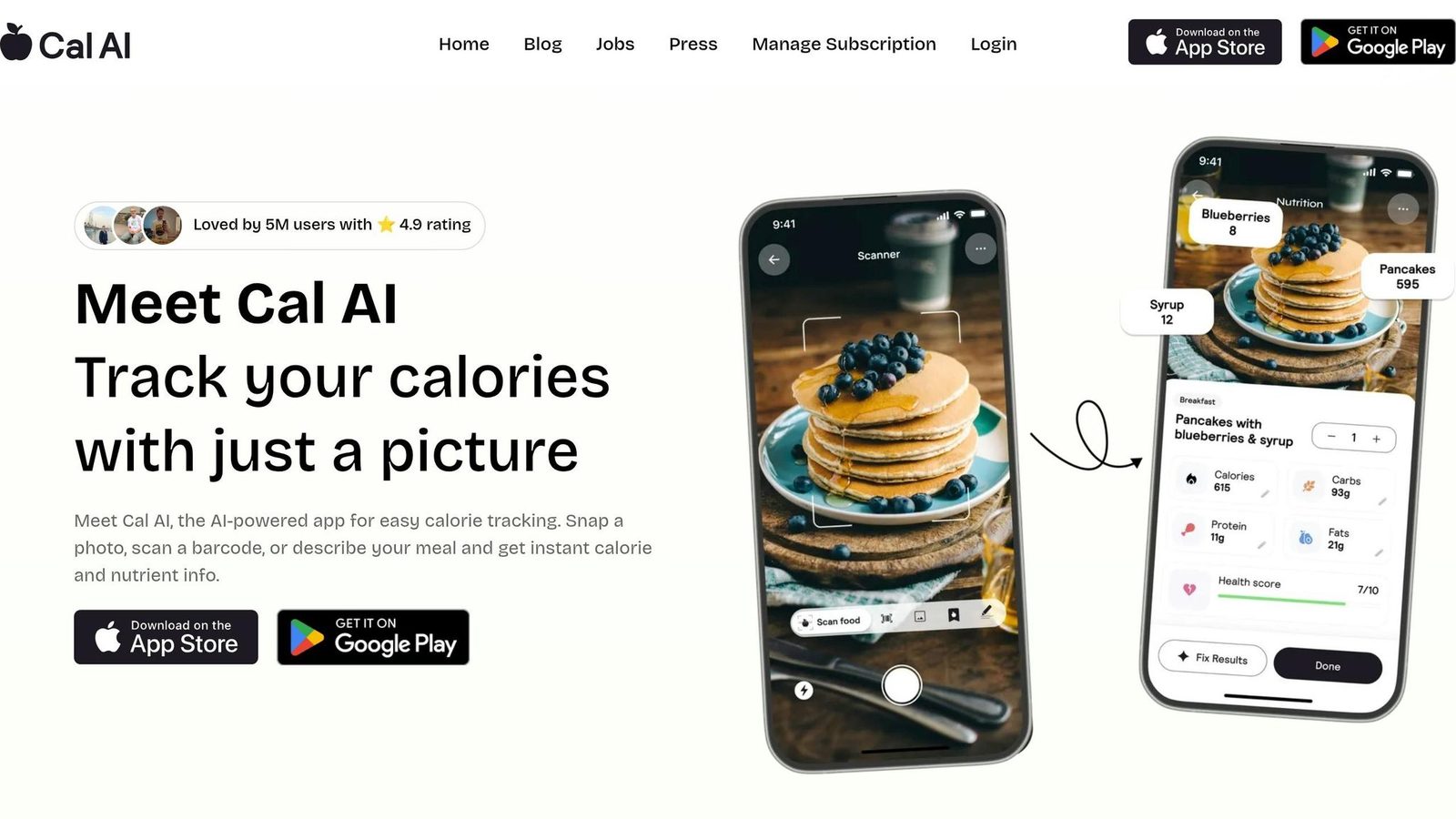
Best for Casual Visual Logging | Fastest Photo-to-Calories Workflow
Cal AI does one thing well: you point your camera at a meal and get a calorie estimate fast.
In testing, logging takes about 3.8 to 9.4 seconds per meal. That’s much faster than MyFitnessPal’s manual search-and-log process, which comes in at roughly 23 seconds. If you want the most direct photo-first option in this group, Cal AI is it.
Logging Methods
Cal AI leans hard on photo logging. It also includes barcode scanning, with an 85% barcode hit rate.
That said, it doesn’t support voice or text entry, so you get fewer ways to log than with Welling or MyFitnessPal. For simple meals, the process feels smooth. Once you get into mixed dishes, sauces, or meals with hidden ingredients, things get shakier.
Database Accuracy
Cal AI’s meal recognition accuracy is about 63.5%.
Its calorie estimation error has been measured at roughly ±14.6% to ±14.9% in independent tests. Some testing also puts portion error as high as ±25%. That’s the big weak spot here: portion size.
A flat photo can only tell you so much. It misses depth, which means estimates can drift when servings are large, piled high, or oddly shaped.
Nutrition Depth
Cal AI tracks 14 nutrients.
That’s enough for calories and macros, but it doesn’t go far on micronutrients. If you care about detailed vitamin and mineral tracking, this probably isn’t the app for you.
Goal Support
Cal AI supports weight loss, muscle gain, keto, low-carb, and high-protein goals.
Its main social feature is a social accountability feed, which may help people stay on track with habits. So the app is fast at logging meals, but it doesn’t adjust targets or guide behavior along the way.
Platform Status
Cal AI was removed from the Apple App Store on April 16, 2026, after a payment-policy violation. MyFitnessPal acquired it in March 2026, and its photo tech may be folded into Meal Scan.
SnapCalorie is the next photo-first app to compare if you want a tighter AI-only workflow.
9. SnapCalorie
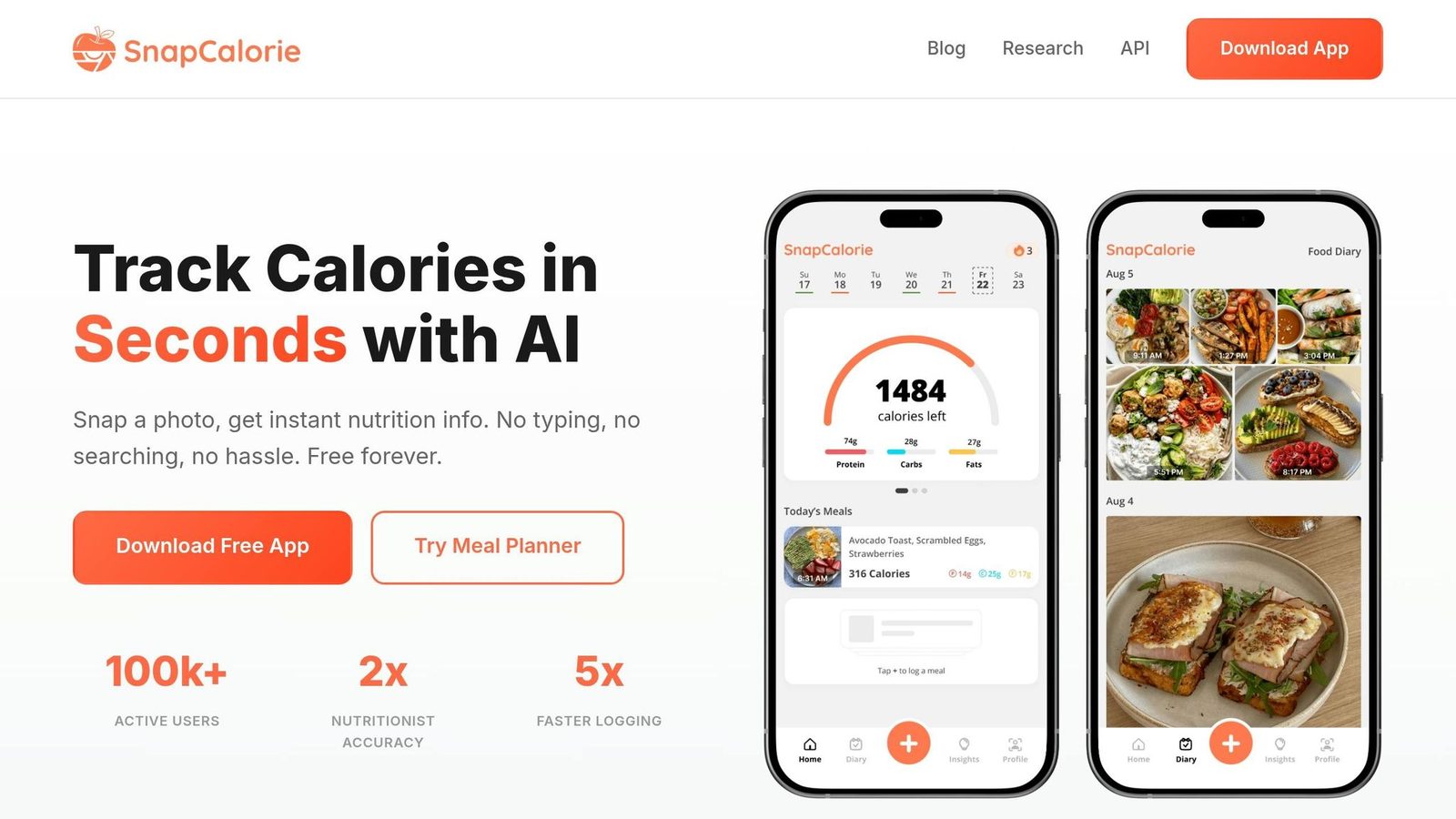
Best for Fast Photo Logging | Strongest Portion Estimation on Simple Plates
SnapCalorie feels a lot like Cal AI in day-to-day use: point your phone, snap the meal, and log it fast. Where it pulls ahead is portion estimation and nutrient detail. The app was built by former Google AI researchers and uses computer vision to estimate portions from food photos.
Logging Methods
SnapCalorie supports photo, barcode, manual, voice, and OCR entry. Average logging time lands between 3.5 and 5.9 seconds, so it stays in that fast, photo-first lane.
On iPhone Pro models, it can also use LiDAR depth sensing to estimate portions with better accuracy. That can help on simple plates where depth data gives the app a clearer read on serving size.
Its barcode hit rate is 82%. That’s lower than MyFitnessPal and Cronometer, which means packaged foods may still need manual fixes now and then.
Database Accuracy
Overall photo accuracy is ±5.2% MAPE across 8,500 meals. That puts SnapCalorie ahead of Cal AI and MyFitnessPal, but still behind Cronometer and MacroFactor.
The catch? Accuracy drops on mixed meals and restaurant dishes. Layered foods can be much worse, so manual entry is the safer move for stews, curries, and similar meals. In plain English: SnapCalorie works best when the food is easy to see and separate.
Nutrition Depth
SnapCalorie tracks calories, macros, and 100+ micronutrients using 500,000+ USDA-verified entries. That’s a strong setup for people who want fast logging without giving up nutrient detail.
It performs best on clearly separated meals and weaker on visually complex dishes.
Goal Support
SnapCalorie is a strong fit for fast calorie and macro logging, but it doesn’t include health coaching apps, structured weight-loss programs, or behavior guidance. It’s a logging tool, not a coaching app.
There’s also no web dashboard as of June 2026, so the app is still mobile-only.
App Comparison: Features Side by Side
Nine apps. Four criteria. Clear trade-offs.
The table below gives you the fast read: speed, accuracy, nutrition depth, and goal support in one place.
Logging Methods
Welling is the fastest of the group at 2.6 seconds per meal, with photo, chat, or voice input. Cal AI is close behind at about 3 seconds, using AI photo scanning.
Cronometer and MacroFactor take more time than AI-first apps. MyFitnessPal also trails AI-first apps, and its free version now locks down some key features.
Database Accuracy
AI-first fitness apps do much better here than manual database apps.
In the DAI-VAL-2026-01 study published in May 2026, researchers tested six apps against 608–618 weighed reference meals. Welling recorded ±0.9% MAPE, Cronometer at ±5.2%, and MyFitnessPal at ±18.0%.
Put that into plain English: on a 500-calorie meal, MyFitnessPal could miss by about 90 calories, while Welling or Cal AI would be off by only about 5 calories.
If tight calorie tracking is your top concern, nutrient coverage is the next thing to check.
Nutrition Depth
Cronometer, Welling, and Cal AI are strongest on micronutrients. MacroFactor and MyFitnessPal stay more macro-focused.
Goal Support
MacroFactor still stands out for structured cuts and bulks. Its adaptive TDEE system updates targets each week based on actual weight trends. You can also use a TDEE calculator to establish your baseline before starting a plan.
Welling and MacroFactor both use an AI Coach Loop to adjust calorie and macro targets on the fly. Lose It! and Yazio include goal-setting tools, but they don’t update targets automatically.
The full table below pulls these trade-offs into one view.
Full Feature and Pricing Comparison
| App | Logging Method | Accuracy (MAPE) | Nutrients Tracked | Adaptive Goals | Free Tier | Premium (USD) |
|---|---|---|---|---|---|---|
| Welling | Photo / Chat / Voice | ±0.9% | 86 | Dynamic coaching | Yes | $9.99/mo or $19.99/mo |
| Cronometer | Manual / Barcode | ±3.9% | 84+ | No | Yes | $8.99/mo or $54.95/yr |
| MacroFactor | Manual / Search | ±4.1% | Macros | Auto-adjusting targets | No (7-day trial) | $11.99/mo or $71.99/yr |
| MyFitnessPal | Search / Barcode | ±18.0% | Macros | No | Yes (limited) | $19.99/mo or $79.99/yr |
| Lose It! | Barcode / Search | ±12.5% | Macros | No | Yes | ~$3.33/mo ($39.99/yr) |
| Cal AI | AI Photo | ±14.6% | Macros | No | Trial-gated | $79.00/yr |
| SnapCalorie | AI Photo / Manual / Voice / Barcode / OCR | Not independently validated | Not independently validated | Not independently validated | Not independently validated | Not independently validated |
| Yazio | Barcode / Manual / Photo | Not independently validated | Macros | No | Yes | ~$29.99–$43.99/yr |
| Lifesum | Barcode / Manual / Photo | Not independently validated | Not independently validated | Not independently validated | Not independently validated | Not independently validated |
The pros and cons section below turns these numbers into quick buying guidance.
Pros and Cons by App
The shortlist below turns the rankings into practical trade-offs.
Welling has a newer, smaller database than older apps with high photo accuracy. And if you want its deeper coaching tools, you’ll need the paid plan.
MyFitnessPal has the biggest food database in the group. The catch is accuracy: its ±18% error rate is the weakest here, and barcode scanning now sits behind a $79.99/year subscription.
Cronometer is the go-to pick if micronutrient detail matters. It has a verified database and a strong free tier, but manual entry takes about 38–42 seconds per meal on average.
MacroFactor gives you the strongest adaptive coaching among manual trackers. But there’s no free tier, and it doesn’t support photo logging.
Lose It! gets people set up fast. Its accuracy lands in the middle, though, so it makes more sense for casual tracking than tight nutrition control.
Cal AI has a clean, simple interface. Still, its ±14.6% error rate puts it behind the better AI-first trackers.
Yazio works well for people who care most about fasting. Its U.S. restaurant database, though, is pretty thin.
Lifesum gives users more built-in structure with preset diet programs. On the downside, premium upsells show up often.
SnapCalorie is quick on simple plates. Mixed meals and more complex dishes are where it starts to struggle.
These trade-offs matter more than raw feature count. A long feature list looks nice on paper, but the better question is simple: what do you need the app to do well every day? If one factor matters most, the table below helps you narrow the field fast.
| App | Biggest Strength | Biggest Limitation | Best Fit |
|---|---|---|---|
| Welling | Fast AI logging; coach-like chat interface | Newer, smaller database; coaching behind paywall | Busy users who want low friction |
| Cronometer | 84+ micronutrients; verified database; free tier | Slow manual entry (38–42 sec/meal) | Athletes; medical or clinical needs |
| MacroFactor | Adaptive TDEE coaching | No free tier; no photo logging | Serious lifters; structured cut/bulk |
| MyFitnessPal | Largest food database | Weakest accuracy (±18%); key features paywalled | Chain restaurant eaters; niche food lookup |
| Lose It! | Fast onboarding | Mid-pack accuracy | Beginners on a budget |
| Cal AI | Clean, simple interface | ±14.6% error; being phased out as a standalone app | Casual photo loggers |
| Yazio | Intermittent fasting tools | Shallow U.S. restaurant database | Fasting-focused users |
| Lifesum | Built-in structured diet programs | Aggressive premium upsells | Users wanting guided plans |
| SnapCalorie | Fast photo logging on simple plates | Accuracy slips on mixed dishes | Photo-first users |
Next, match those trade-offs to your goal: weight loss, macros, fasting, or accuracy.
Which Calorie Counter App Should You Use?
The best app depends on what you care about most: speed, nutrient detail, coaching, or price.
If logging food feels like a chore, go with Welling.
Need deep micronutrient tracking? Pick Cronometer. Want an app that helps you cut or bulk based on your data? Go with MacroFactor.
If you eat a lot of packaged foods and want a low-cost way to get started, Lose It! makes sense. If you want the biggest chain-restaurant database, MyFitnessPal is the better bet.
| Your Priority | Best Pick | Why |
|---|---|---|
| Lowest logging friction | Welling | Photo, chat, and voice logging |
| Free micronutrient tracking | Cronometer | 84+ nutrients; verified database |
| Structured cut or bulk | MacroFactor | Adaptive TDEE based on weight trends |
| Beginner on a budget | Lose It! | Free barcode scanner; fast setup |
| Best for chain restaurants | MyFitnessPal | 14M–20M+ entries; best for major chains |
Here’s the short version: pick Welling or Cal AI for faster logging, Cronometer or MacroFactor for more detail, and Lose It! or MyFitnessPal if you log lots of packaged foods or chain meals.
FAQs
How accurate do calorie apps need to be?
For clinical weight-management use, calorie apps should ideally stay within about ±1.5% MAPE when you need strict self-monitoring.
That number may sound small, but it matters. Even a 5% daily error can change the calorie deficit you think you’re running versus what’s happening in practice. Over time, that gap can throw off your expectations and your results.
The other apps missed it by a fair bit:
- Cronometer and MacroFactor landed at about 5%–7% error
- MyFitnessPal often went past 15%, mostly because it depends on manual portion estimates
That last point is a big deal. If the app asks you to guess portion sizes by eye, small mistakes add up fast.
Are AI calorie apps better than manual logging?
Often, yes. In 2026, leading AI calorie apps usually beat manual logging on both accuracy and consistency.
With manual tracking, portion estimates often lead to an 8%–15% error rate. By contrast, top photo-based AI tools have reported about 1%–2% MAPE.
They’re also much faster. Logging a meal can take around 3 seconds with AI, compared with about 47 seconds by hand. That time gap may help people stick with tracking over the long haul.
That said, manual apps like Cronometer can still be the better fit for eating disorder recovery or very detailed micronutrient tracking.
Which app is best for weight loss goals?
For weight loss in 2026, Welling ranks highest because it pairs strong calorie accuracy with steady user follow-through. Its AI photo recognition makes logging much easier, and that can help people stay consistent longer than they do with manual-entry apps.
Other strong options include MacroFactor for data-driven users who want adaptive TDEE targets, and Cronometer for people who care more about micronutrient detail and clinical-grade accuracy.