

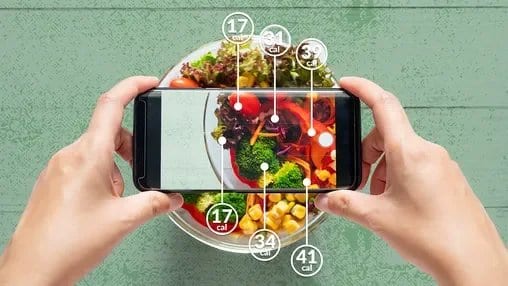
Keeping track of calories isn’t just for people trying to lose weight. Whether you want to build muscle, maintain your weight, improve energy levels, or better understand your eating patterns, learning how to track calories can be a powerful first step toward healthier habits. Modern tools like an effective counting calories app make this easier and more accurate than ever before.
This guide walks you through everything you need to know as a beginner; from what calories really are to practical steps for tracking them without overwhelm.

Table of Contents
- What Calorie Tracking Really Means
- Why People Track Calories
- How Calories Are Measured
- Choosing a Good App to Track Calories
- Step-by-Step Guide to Starting Calorie Tracking
- Practical Tips to Make Tracking Easier and More Accurate
- Common Mistakes Beginners Should Avoid
- Frequently Asked Questions (FAQs)
- References
What Calorie Tracking Really Means
Calorie tracking means recording the calories you consume from food and drinks to understand how much energy you’re putting into your body. A calorie refers to the amount of energy food provides when eaten. In nutrition, calories help you measure how much energy you’re consuming compared to how much you burn through daily activity.
Tracking calories doesn’t have to be exact down to the last unit. The goal is awareness and consistency. The more aware you are of what you eat, the more informed your decisions can be.
Why People Track Calories
Calorie tracking is a popular method because it gives people insight into eating patterns and helps align intake with goals. Whether you want to:
Lose weight
Gain weight in a controlled way
Make sure to eat enough while on GLP medication
Maintain your current weight
Improve nutrition quality
Tracking can help you understand the relationship between food, energy, and body changes. Research shows that tracking health factors like diet and food intake is associated with more consistent weight results when used with a broader health plan.
Additionally, using an app to track calories makes it much easier than pen-and-paper methods, offering instant feedback and analysis on food choices and trends.
How Calories Are Measured
Calories aren’t measured directly when you eat them. Instead, they are estimated based on food composition and science.
Most food labels and database values are derived from standardized tests that calculate how much energy a given amount of food provides. Tools like calorie calculators help you understand how many calories you need per day based on your body and goals.
Calories reflect the energy your body can extract from food. The basic principle of weight change is that:
Consuming more calories than you burn can lead to weight gain
Consuming fewer calories than you burn can lead to weight loss
Tracking builds awareness of this balance without requiring perfection.
Choosing a Good App to Track Calories
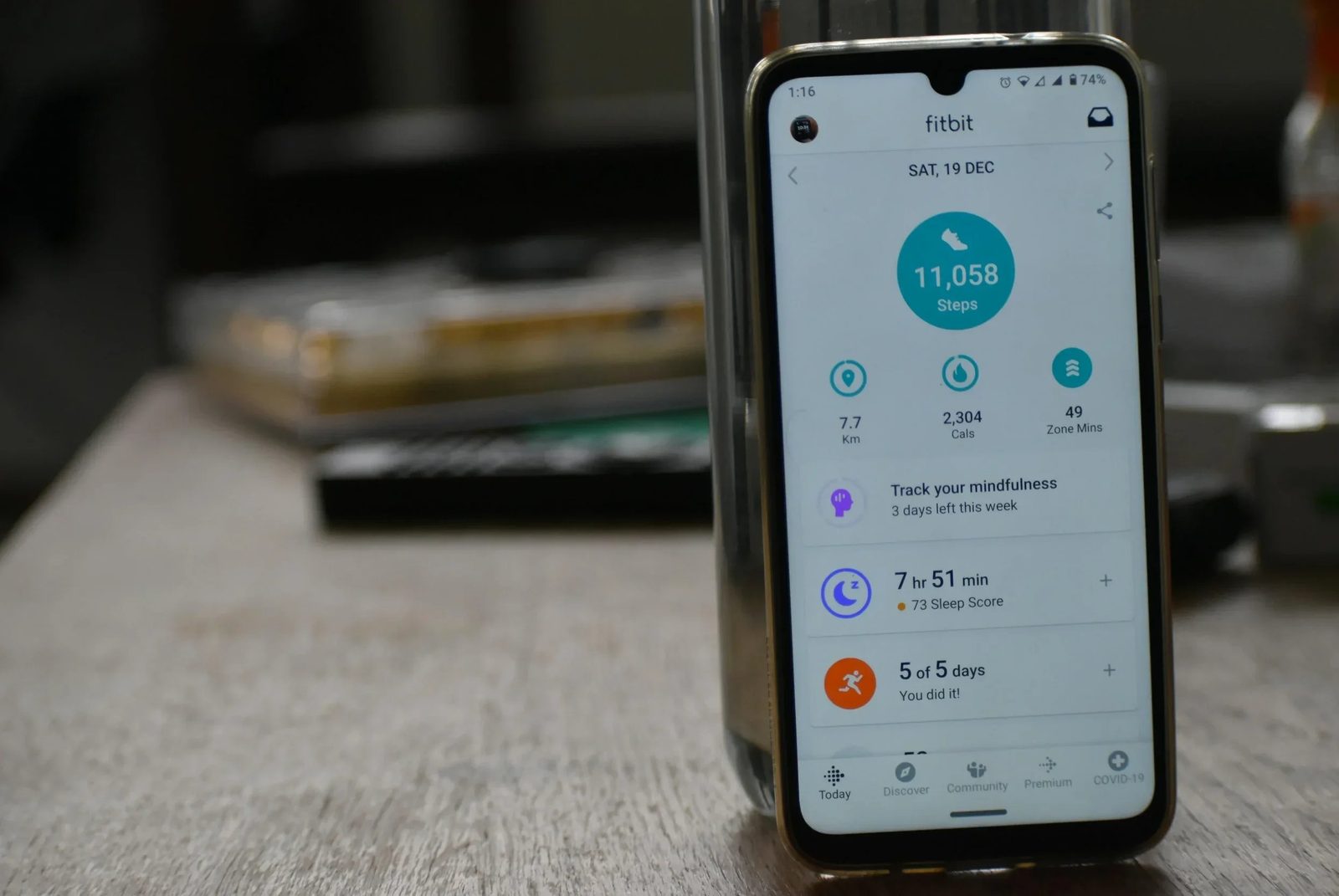
A counting calories app can make tracking easier, faster, and more consistent. When selecting an app to track calories, look for:
Large Food Database
Apps with extensive databases allow you to search almost any food you eat and get reliable calorie data. Major apps like MyFitnessPal have millions of entries, making it easy to find foods you eat regularly.
Barcode Scanner
Apps that let you scan packaged food labels speed up logging and reduce guesswork.
Macro and Micronutrient Tracking
Some apps show more than calories. They can also track protein, carbs, fat, sugar, and other nutrients. This deepens your understanding of food quality.
Ease of Use
Beginner tools should make logging quick and intuitive; features like meal history, favorites, and autofill help reduce friction.
Some well-known apps for tracking calories include:
MyFitnessPal, known for its large database and barcode scanning
MyNetDiary, which tracks food, calories, and macros with AI features
and modern _AI food coaching _apps such as Welling that help simplify logging with chat or photo input for faster awareness as you learn to track.

Step-by-Step Guide to Starting Calorie Tracking
1. Know Your Calorie Needs
Before you log, understand roughly how many calories your body uses in a day. Many online calculators can estimate daily calorie targets based on age, weight, height, and activity level.
2. Set a Realistic Goal
Decide whether you’re tracking to lose weight, gain weight, or maintain. Calorie targets differ for each goal.
3. Choose an App
Download a reliable calorie tracking app that matches what you need. Simple logging, AI coaching app, barcode scanning, or deep nutrient analysis.
4. Log Every Meal and Snack
Write down everything you eat even drinks and condiments to get the full picture of your intake. Experts recommend consistency to build accurate patterns.
5. Measure Portions
Use tools like kitchen scales or common visual cues to estimate portion sizes. This improves accuracy and helps the app give better feedback.
Practical Tips to Make Tracking Easier and More Accurate
Tracking consistently can be a challenge, especially for beginners. Try these proven strategies:
Log in Real Time
Write down foods right when you eat them so nothing is forgotten.
Use Barcode Scanning Whenever Possible
This reduces manual entry and speeds up logging.
Save Frequent Meals
Apps often let you save meals you eat often so you can log them faster.
Track All Eating Occasions
Don’t forget snacks or drinks. They add calories even if they seem small.
Think in Portions Not Perfection
Understanding average portion sizes is often more practical than obsessing over exact gram weights.

Common Mistakes Beginners Should Avoid
Even motivated beginners sometimes fall into common traps. Watch out for:
Only Logging “Good” Days
Logging only when you eat well skews your understanding. Track all days for accurate trends.
Ignoring Drinks and Sauces
These often have calories that add up fast, even though they seem small.
Guessing Portions
Avoid guessing too broadly. Weighing food early in your tracking journey helps build better instincts.
Setting Unrealistic Expectations
Calorie tracking is a tool for awareness and pattern understanding not a perfect measure of health. Results take time.
Frequently Asked Questions (FAQs)
What is calorie tracking
Calorie tracking is recording what you eat and drink to understand your energy intake and make informed nutrition decisions.
Do apps help with keeping track
Yes. Apps make logging easier, provide feedback, and help analyze patterns which supports awareness and consistency.
Does calorie tracking guarantee weight loss
Not always. Tracking helps awareness, but sustainable results also involve balanced eating habits and lifestyle consistency.
Is calorie tracking suitable for everyone
Tracking can be helpful, but it may not be right for people with certain eating disorders without professional support. Always consider personal health needs.
References
Calorie counting made easy https://www.health.harvard.edu/staying-healthy/calorie-counting-made-easy
Benefits of a user-friendly calorie tracking app https://foodbuddy.my/blog/benefits-of-using-a-user-friendly-calorie-tracking-app
Best calorie counter apps overview https://www.healthline.com/nutrition/best-calorie-counters
Calorie counting how to track food intake guide https://joinequ.com/blog/the-ultimate-guide-to-food-tracking-apps-2024-edition/
Counting calories how to for beginners https://www.healthline.com/nutrition/counting-calories-101
Calorie counting basics from NHS https://www.nhs.uk/better-health/lose-weight/calorie-counting/
MyFitnessPal overview https://en.wikipedia.org/wiki/MyFitnessPal
MyNetDiary food and calorie tracking https://welling.onelink.me/unj6/1lg3lyzf
Welling is an AI weight loss coach that simplifies nutrition tracking and provides daily accountability and insights. Rated 4.8 in the App Store by thousands of users.