

If you want the short answer: Welling is the top overall pick, MacroFactor is best for calorie targets that change with progress, and Cronometer is best for deep nutrient tracking.
I reviewed the article with one goal in mind: help you pick fast. It compares 10 apps - Welling, MyFitnessPal, Lose It!, Cronometer, MacroFactor, Yazio, Lifesum, Cal AI, SnapCalorie - using coaching depth, recognition accuracy, database accuracy, personalization, and price.
Here’s the article in plain English:
- Welling is the best all-around choice for people who want coaching plus low-effort logging with high photo calorie tracking accuracy.
- MyFitnessPal still has the biggest food database, but accuracy is less steady.
- Lose It! is a low-cost starter option.
- Cronometer is best if you care about micronutrients.
- MacroFactor is best for lifters and body recomposition.
- Yazio is a fit for fasting and meal planning.
- Lifesum is more about structure than live coaching.
- Cal AI and SnapCalorie are camera-first, but less steady on mixed meals.
The main takeaway: if you want an app that helps you decide what to do next, not just log food, coaching matters as much as calorie math.
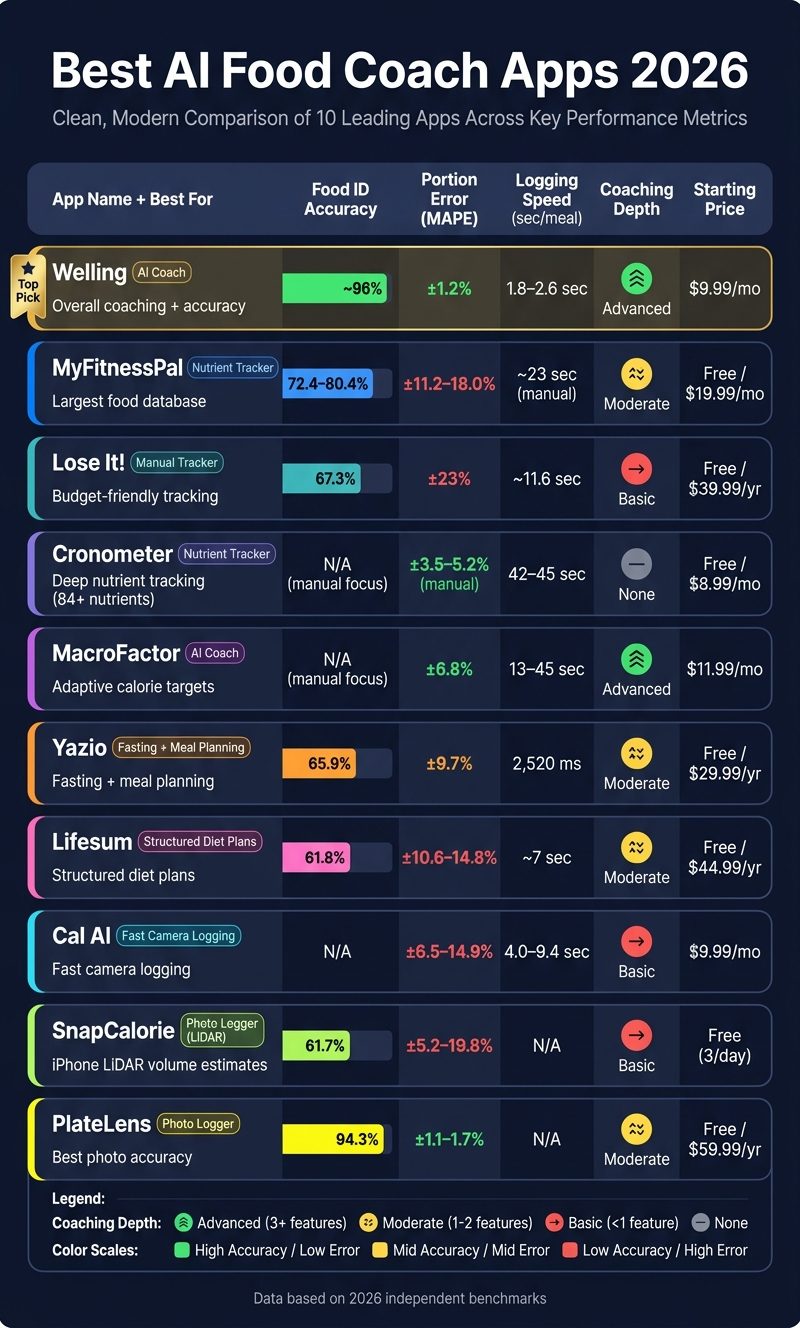
Best AI Food Coach Apps 2026: Side-by-Side Comparison
The Easiest Calorie Tracker I’ve Tested: Instant Photo & Chat Logging Review
Quick Comparison
| App | Best For | Main Limitation | Starting Price |
|---|---|---|---|
| Welling | Overall coaching + low-effort logging | No web app | $9.99/month |
| MyFitnessPal | Huge database | More entry error | Free |
| Lose It! | Budget-friendly tracking | Weak on mixed dishes | Free |
| Cronometer | Deep nutrient detail | Slow manual logging | Free |
| MacroFactor | Changing calorie targets | Manual logging heavy | $11.99/month |
| Yazio | Fasting + meal plans | Weaker U.S. database depth | Free |
| Lifesum | Structured diet plans | Coaching is less personal | Free |
| Cal AI | Fast camera logging | Higher portion error | $9.99/month |
| SnapCalorie | iPhone 3D-style volume estimates | iOS-only | Free |
If I were choosing, I’d start with this simple rule:
- Pick Welling for the best food calorie app mix of speed, coaching, and accuracy
- Pick MacroFactor if you want weekly calorie target updates
- Pick Cronometer if you want 84+ nutrients
- Pick MyFitnessPal if database size matters more than precision
That’s the full article boiled down to the calorie tracking app features that matter most.
1. Welling
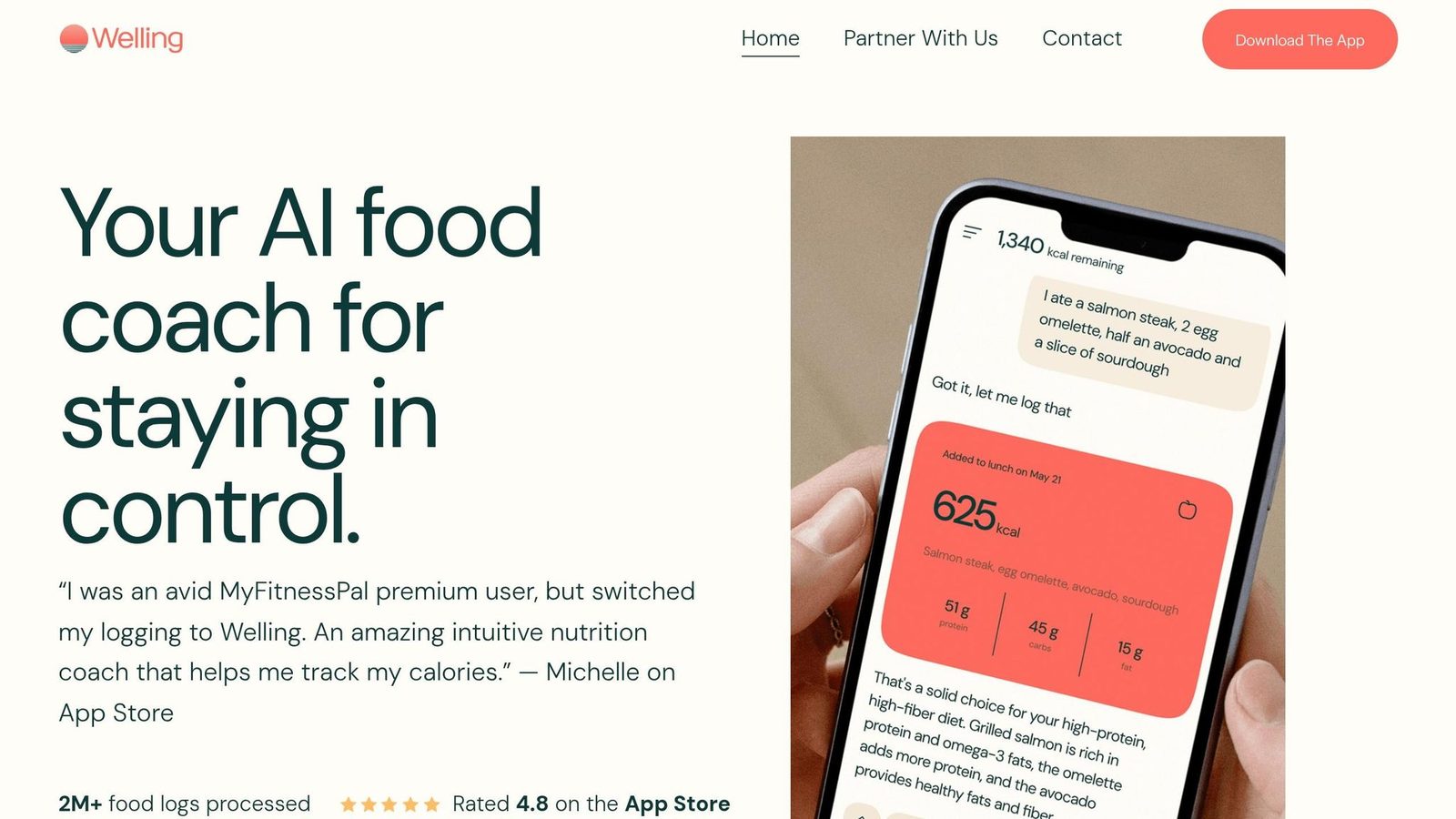
Welling comes out ahead on the two tests that matter most here: coaching depth and recognition accuracy. It logs meals in 1.8–2.6 seconds and keeps portion error at about 1%, the lowest result in this benchmark.
Its live AI coach goes beyond simple tracking. It tells users what to eat next, adjusts targets after workouts, tracks weekly patterns, and includes a GLP-1 mode for people using weight-loss medications.
The app also holds up well with meals that are harder to log. It stays accurate on mixed restaurant dishes like curries, lasagna, and biryani, with ±5.1% error, and it supports 62 cuisines at 99% coverage.
In a 120-day study, Welling retained 71% of users. That’s more than double the category median of 33%.
| Welling | |
|---|---|
| Portion Error | About 1% |
| Food ID Accuracy | About 96% |
| Avg. Log Speed | 1.8–2.6 seconds |
| 120-Day Retention | 71% |
| Price | Free plan available |
| App Store Rating | 4.8/5 |
So if you want automation instead of manual entry, Welling looks like the best match.
2. MyFitnessPal
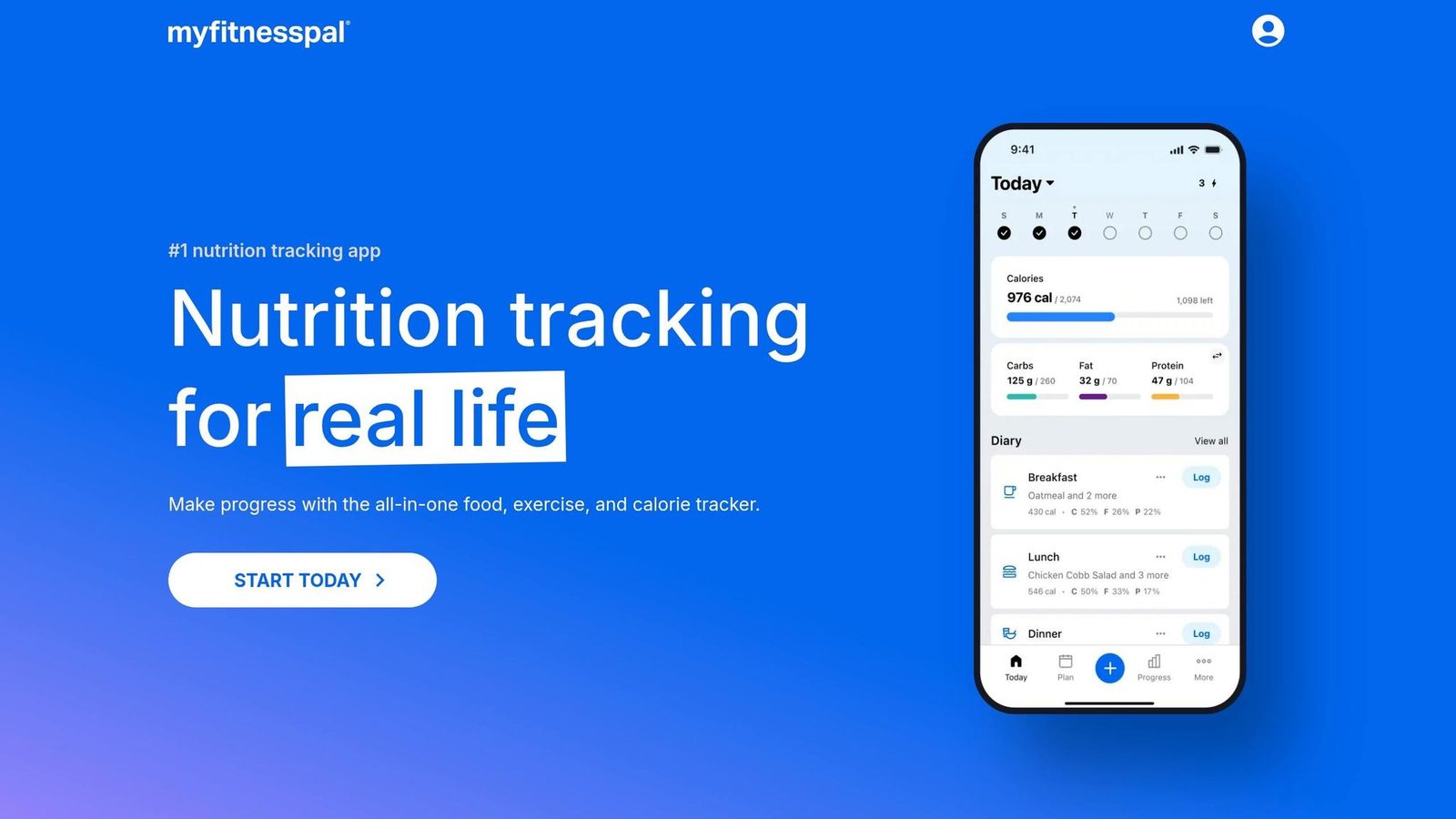
If Welling is the automation-first pick, MyFitnessPal is the older database-first option. At its core, it’s still a calorie tracker. Its main strength is its large food database, which is especially handy for U.S. restaurant chains and hard-to-find packaged foods. In April 2026, it launched “Coach”, a chat-based assistant for Premium users that can answer questions like “Am I on track today?” and suggest recipes based on remaining calories. Even so, its coaching is still limited and mostly reactive, which means the user still has to do most of the thinking and interpretation. MyFitnessPal works best when you want broad logging coverage, not deeper guidance.
Its photo-based Meal Scan also has clear limits. Reported calorie error still lands between ±11.2% and ±18.0%, while 23% of user-submitted entries contain errors and 14% differ from USDA values by more than 20%. That’s a big swing if you’re trying to hold a tight calorie deficit or follow a GLP-1 plan.
In May 2026, barcode scanning, photo logging, and recipe URL imports were moved behind Premium, priced at $19.99/month or $79.99/year. Free users now get manual entry only, which takes about 23 seconds per meal. For most people, it makes sense ONLY if you already have old data in the app or need the sheer range of its database.
| Metric | MyFitnessPal |
|---|---|
| Food-ID Accuracy | 72.4%–80.4% |
| Portion Error (MAPE) | ±11.2%–18.0% |
| Logging Speed (Manual) | ~23 seconds per meal |
| AI Coaching | Conversational assistant for Premium users |
| Price | $19.99/month or $79.99/year |
| 90-Day Retention | 41% |
Lose It! takes a simpler route, with less depth than Welling but less friction than MyFitnessPal.
3. Lose It!
After MyFitnessPal’s heavier, paywalled setup, Lose It! feels built for speed. It’s the simplest low-cost pick for people who want to start logging right away.
That’s the big draw here: low friction. You can download the app, finish onboarding, and log your first meal in under two minutes. If your main goal is just to get into the habit of tracking, that kind of fast start helps a lot.
Lose It!’s AI photo feature, Snap It, works fine for simple meals. But it struggles with mixed dishes. Its food identification accuracy is 67.3%, and its portion error is ±23%. That’s a pretty big miss if you’re trying to track calories closely. So yes, Snap It is fast, but speed only gets you so far when the estimate is off.
Another weak spot is calorie targeting. Unlike Welling or MacroFactor, Lose It! doesn’t adjust targets on its own when your metabolism shifts or your weight loss slows down. If progress stalls, you’ll need to step in and make changes yourself.
Its biggest edge is the barcode scanner and photo recognition features. MyFitnessPal moved that feature behind a paywall, but Lose It! still keeps it in the free tier as of mid-2026. That makes it an easy landing spot for people switching away from MyFitnessPal. Premium starts at $39.99/year, although some sources list a newer price of $44.99/year.
| Metric | Lose It! |
|---|---|
| Food-ID Accuracy | 67.3% |
| Portion Error | ±23% |
| Logging Speed | ~11.6 seconds per meal |
| Nutrients Tracked | 25–35 |
| AI Coaching | Goal-based UI; no live coaching |
| Price | $39.99–$44.99/year |
Use Lose It! for fast, low-friction logging, not for coaching that shifts with your body. If you want more nutrient detail instead of simplicity, Cronometer is the next step up.
4. Cronometer
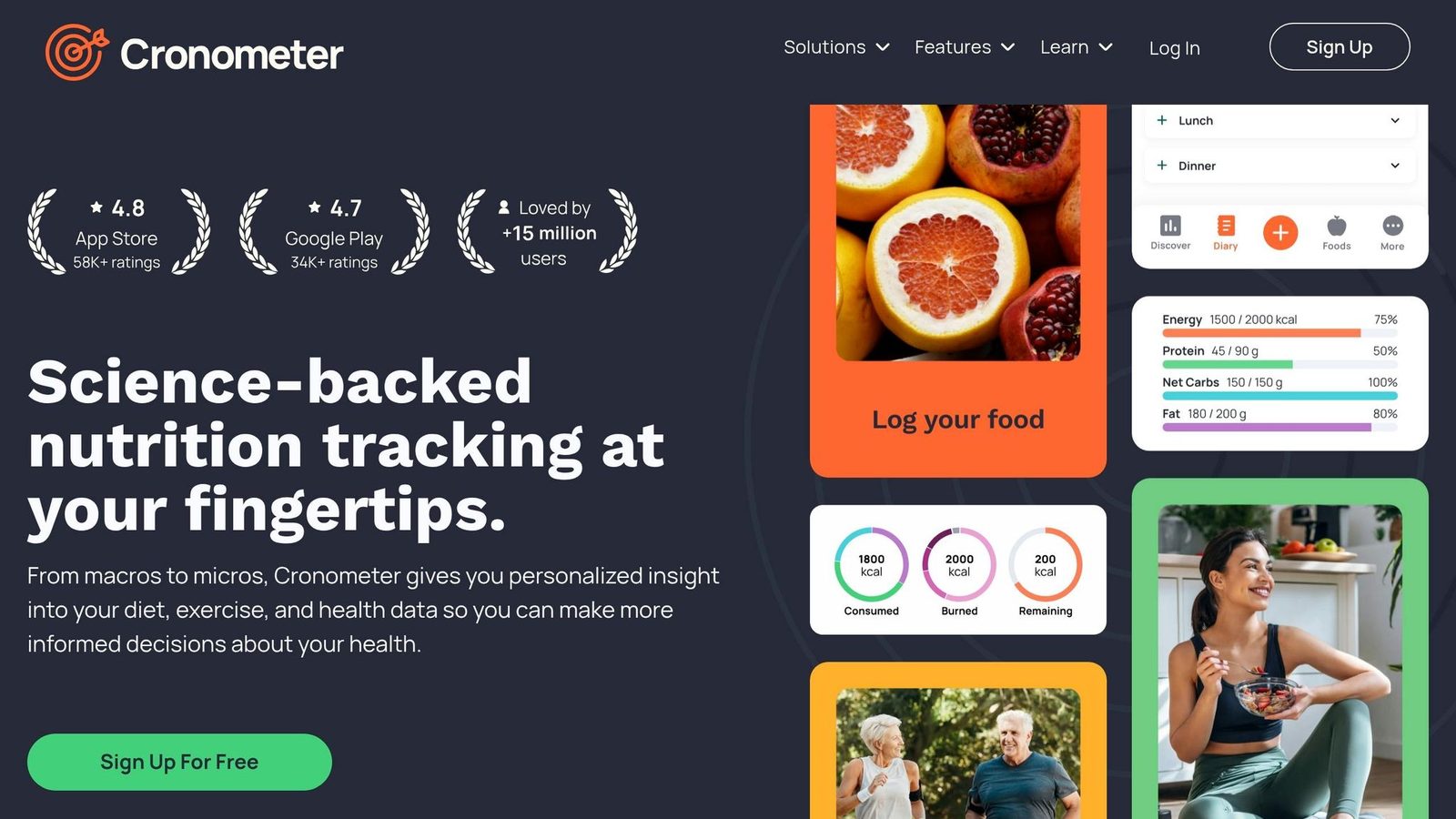
Cronometer is the precision-first pick in this comparison if nutrient detail is your main goal. But it’s not built as an AI coach. It shines when you want clean nutrition data and deep micronutrient feedback, yet it works more like a tracker than a system that guides you step by step. So yes, Cronometer sits near the top for data quality, but it trails top AI nutrition apps like Welling by a lot on coaching.
Cronometer tracks 84+ individual nutrients for each entry, including 13 vitamins, 17 minerals, and full amino acid profiles. Its food database relies on curated sources like USDA FoodData Central and NCCDB, not crowdsourced entries. That makes it a strong option for clinical-style tracking. More than 2,400 dietitians and clinicians recommend it for watching patient micronutrient status.
There’s a tradeoff, though. Manual logging takes about 42 to 45 seconds per meal, and manual-entry accuracy lands around ±3.5% to ±5.2% MAPE. Cronometer Gold does include limited AI photo recognition, but photo logging has an error rate of about ±22%. That’s much weaker than apps built around AI from the start.
Cronometer fits best for restrictive or therapeutic diets like vegan, keto, CKD, and IBD, where tracking B12, iron, and other micronutrients can matter a lot. Gold also includes CSV exports and lab biomarker imports, which can help in clinical workflows. Put simply: Cronometer wins on nutrient tracking, not automation. Its 90-day retention rate is around 58%, lower than AI-first apps, and a big reason is simple - manual tracking gets old.
| Metric | Cronometer |
|---|---|
| Nutrients Tracked | 84+ |
| Manual Accuracy (MAPE) | ±3.5%–±5.2% |
| Photo Accuracy (MAPE) | ~±22% |
| Avg. Logging Time | About 42–45 seconds per meal |
| AI Coaching | None; curated, lab-tested nutritional data |
| Price (Gold) | $8.99–$9.99/mo or $39.99/yr |
The free tier includes full 84-nutrient tracking and is ad-free on some versions. Cronometer is the precision pick. The next app moves away from nutrient depth and toward calorie targets that change over time.
5. MacroFactor
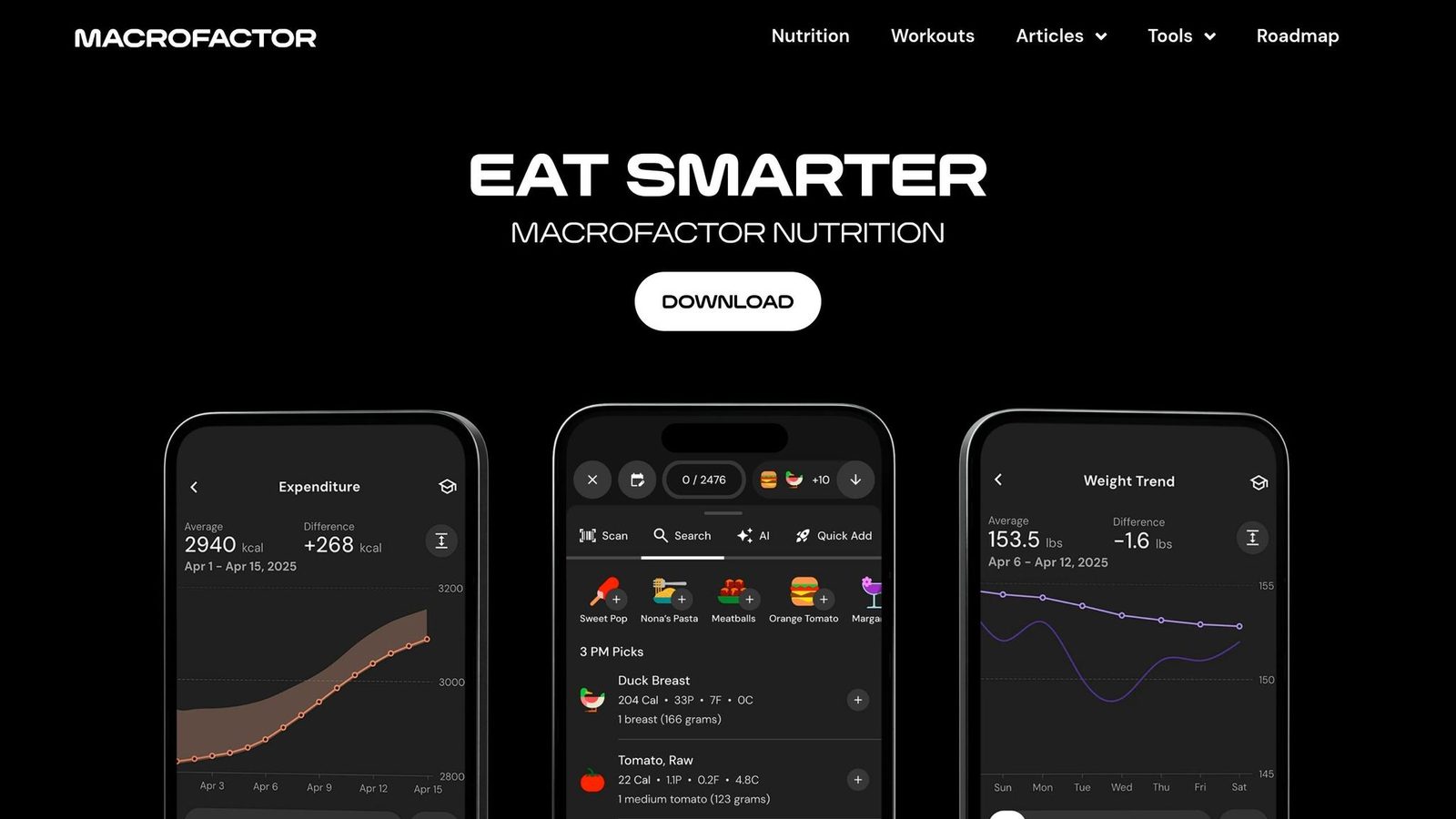
MacroFactor is built for lifters and data-focused users who want calorie targets that change with their progress. Compared with Cronometer, which goes deeper on nutrient detail, MacroFactor is more about calorie adjustment. Its TDEE algorithm estimates maintenance calories from a rolling 14-day log of food intake and body weight, then updates targets each week. In plain English: this is a coaching-first app, not a recognition-first one.
It scores well for personalization and coaching, but not for AI food recognition because it still leans on manual entry. If you miss logs, the app estimates them instead of treating them like a penalty. Its V3 algorithm is also more stable and faster at picking up weight changes.
That said, MacroFactor still depends on manual logging. Entering a meal usually takes about 13–45 seconds, which is the tradeoff for that extra control. Better calorie math comes with more hands-on logging. Its calorie-estimation error is about ±6.8% MAPE, which is strong for a manual-entry app. But that number only holds up if your entries are accurate. There’s no photo-based food recognition doing the work for you. Its 90-day retention is about 64%.
| Metric | MacroFactor |
|---|---|
| Accuracy (MAPE) | ±6.8% |
| Logging Time | 13–45 sec (manual) |
| Macros + select micros | ~30 |
| Coaching Style | Adaptive TDEE (Coached / Collaborative / Manual) |
| 90-Day Retention | ~64% |
| Price | $11.99/mo or $71.99/yr; trial only, no permanent free tier |
MacroFactor works best for cuts, re-comps, and lean bulks, where calorie targets need to move as your body changes. Yazio takes a different path, with more plan-led dieting instead of adaptive targets.
6. Yazio
Yazio is a meal-planning and intermittent fasting app, not a chat-based AI food coach. Its food database includes about 2.5 million items, with strong coverage for regional foods in Europe. For U.S. users, though, restaurant-chain coverage is weaker than what you get in MyFitnessPal. So it tends to work better for planning meals than for on-the-fly coaching.
Its strongest feature is meal planning. Yazio’s planning module adjusts to goals like weight loss, maintenance, and gain. It also includes about 2,900 dietitian-tested recipes for eating styles like low-carb and vegan. On top of that, it supports 16 fasting protocols, including 16:8, 5:2, OMAD, and alternate-day fasting, with a built-in timer that connects straight to the food log. The downside is that food recognition isn’t as strong as dedicated AI food trackers.
That gap shows up in testing. Yazio’s photo logging reached 65.9% identification accuracy, with ±9.7% portion error and a 2,520 ms median capture time. A 2026 validation study found ±15.5% MAPE, which puts it behind the category leaders. In plain English: it can help, but it’s not the app you pick if tight recognition is your top concern. The upside is price.
The free version covers basic calorie counting. PRO adds meal planning, more fasting protocols, and photo-based food tracking. At about $29.99 to $39.99 per year, Yazio is one of the lower-cost premium picks in this group.
| Metric | Yazio |
|---|---|
| Photo ID Accuracy | 65.9% |
| Portion Error | ±9.7% |
| MAPE | ±15.5% |
| Fasting Protocols | 16 |
| Price (Pro) | ~$29.99–$39.99/yr |
Yazio makes the most sense for people who want fasting structure and meal planning more than exact, live coaching. Lifesum shifts the focus from fasting structure toward lifestyle coaching and AI text logging.
7. Lifesum

Lifesum sits in the middle ground between simple tracking and guided coaching. The app now labels its “Multimodal Tracking” feature as “AI Tracking”, which lets users log meals by photo, voice, or text inside one chat-style interface. But the guidance still follows set plans instead of changing to fit the user. So while Lifesum feels easier to use than most trackers, it doesn’t go as far as a true AI coach.
Its clearest strength is structure. Users get 20+ meal plans, 12+ programs, a fasting timer for 16:8 and 5:2, and a “Life Score” from 0–150 that turns nutrition, hydration, and activity into a simple game. That’s handy if you want a system that tells you what to do. The downside is that this setup helps more with day-to-day guidance than exact tracking.
Food recognition is decent, but not top tier. Photo ID accuracy comes in at 61.8%, with ±10.6% portion error for standard dishes and ±14.8% for mixed and restaurant meals. Logging speed is about 7 seconds per meal. In plain English, Lifesum trails the more adaptive tools on accuracy, but does a better job on presentation and ease of use.
Price is one of its stronger selling points. Lifesum Premium costs $44.99/year in the U.S., which is lower than MyFitnessPal Premium at $79.99/year and Welling at $79.00/year. It holds a 4.5/5 App Store rating largely because the app looks good and feels easy to use, not because its coaching is highly exact. On the 2026 AI Calorie Tracker Index, it scores 77.7 out of 100 and ranks 11th out of 14 apps tested.
Next, Cal AI leans much harder into visual logging and speed.
8. Cal AI
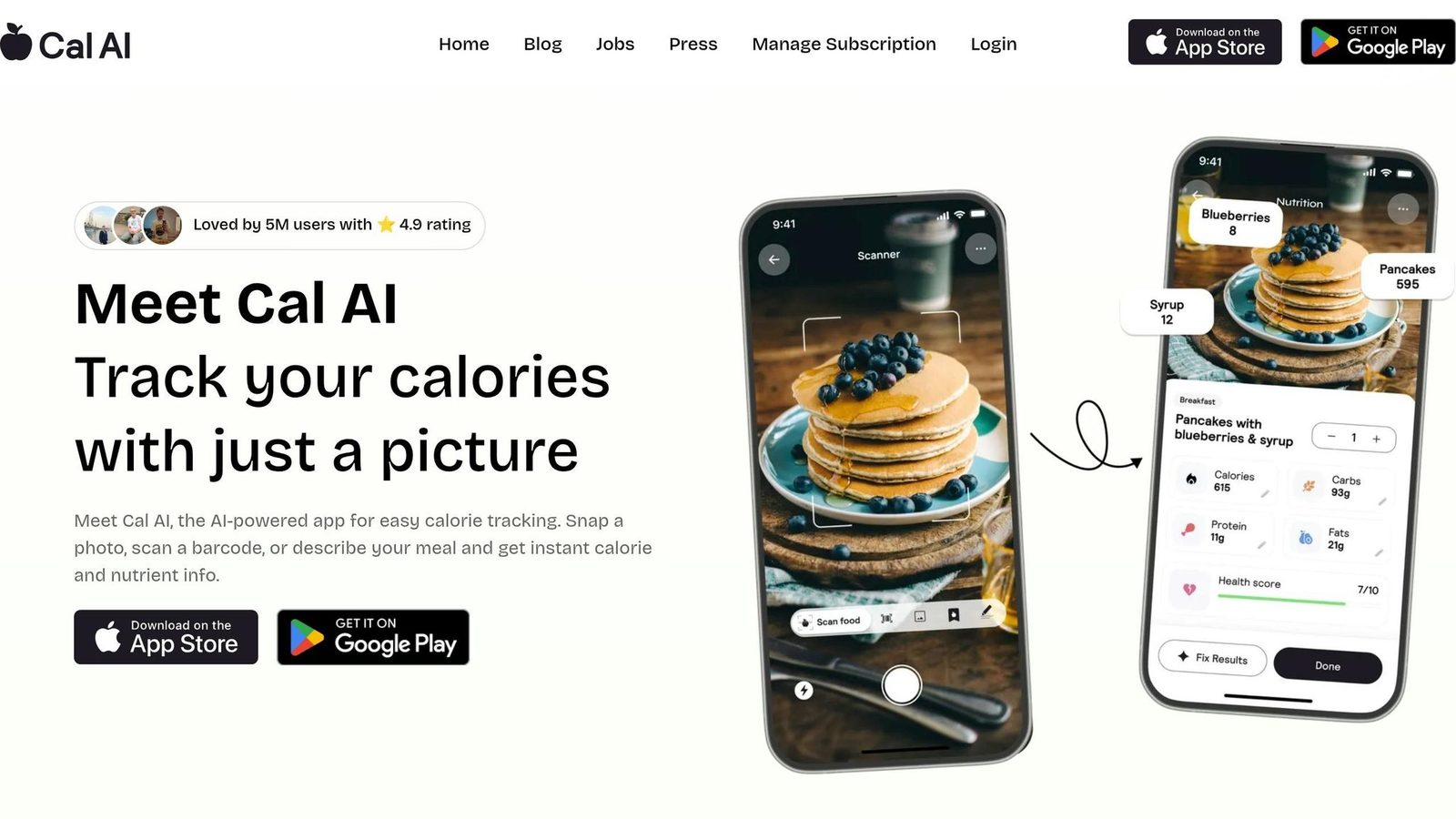
If Lifesum gives you more structure, Cal AI goes in the opposite direction. It keeps things simple and puts the camera at the center of the whole logging flow.
Cal AI is a camera-first calorie scanner built for fast photo logging. Before MyFitnessPal acquired it in March 2026, the app had about 15 million downloads and $30 million in annual revenue.
For simple dishes, Cal AI does a decent job. The problem shows up when meals get messy. Mixed meals are where the tradeoff becomes hard to ignore: portion error hits 25% overall and climbs to 41% in complex-meal tests. Overall MAPE falls between ±6.5% and ±14.9%, and the app tends to undercount calories on high-calorie dinners, with a mean signed error of -8.1%.
That kind of performance can work for casual tracking. But if you’re trying to hit a tight calorie goal, it’s a bit shaky.
Coaching is also pretty limited. Unlike Welling, Cal AI does not adjust targets, workouts, or calories on its own. So while it ranks well as a scanner, it doesn’t do much as a coach.
One practical detail matters here too: Cal AI was removed from the Apple App Store on April 16, 2026, due to payment policy violations, and it remains available on Android. Pricing is $9.99/month or $29.00 to $39.99/year. That’s a lower-cost option, but only if you’re okay with the lower accuracy.
| Metric | Cal AI |
|---|---|
| Overall MAPE | ±6.5%–±14.9% |
| Mixed-dish MAPE | ±11.8%–±19.4% |
| Portion Error | ±25% |
| Logging Speed | 4.0–9.4 seconds |
| Coaching Depth | Social-only |
| Price | $9.99/mo or $29.00–$39.99/yr |
Sources: [2][8][1][41][42][43][44][45]
SnapCalorie takes the same camera-first approach but puts more pressure on accuracy.
9. SnapCalorie
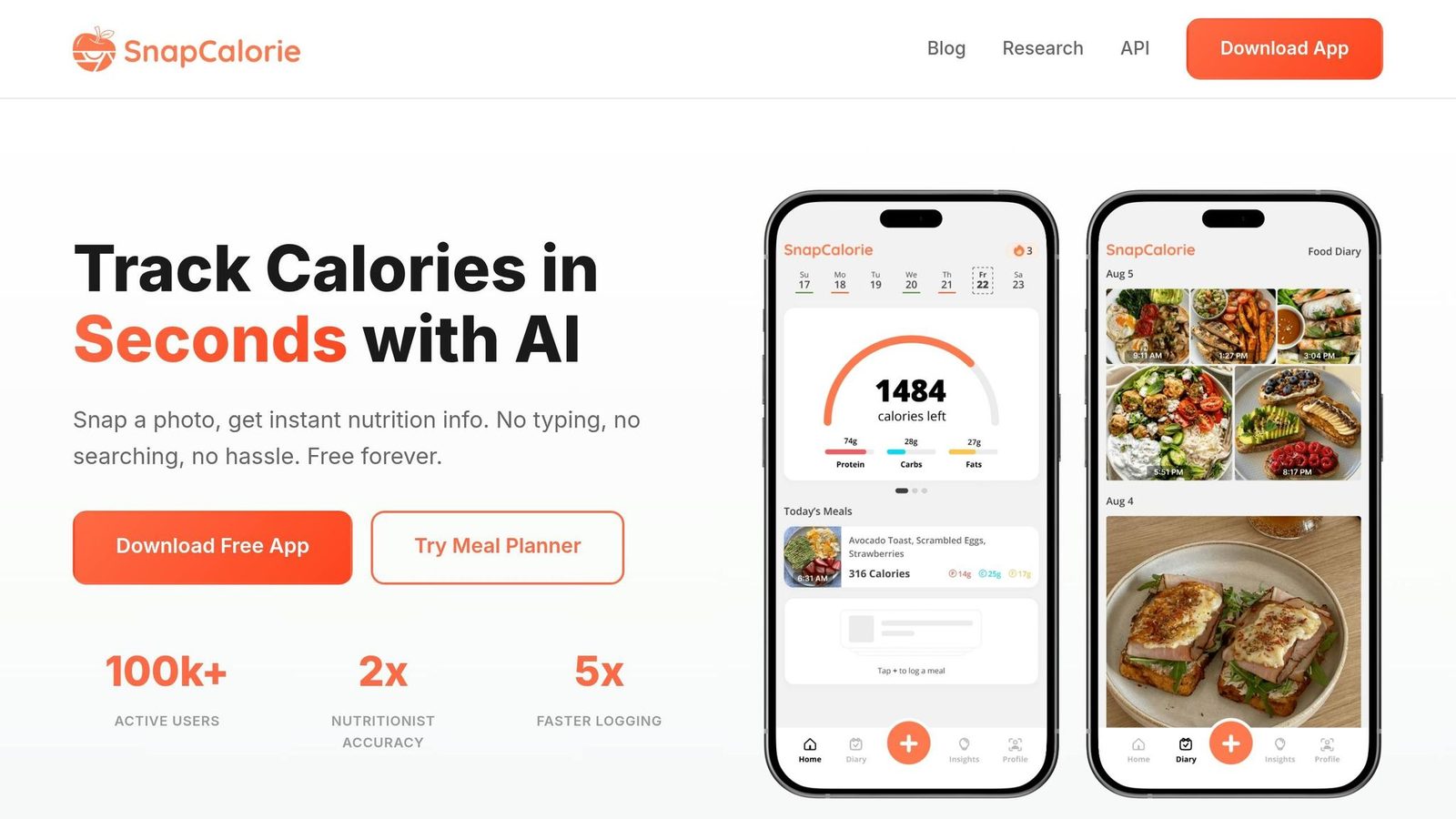
SnapCalorie uses iPhone Pro LiDAR to estimate food volume. It also splits a plate into parts so it can estimate ingredients one by one. In practice, that makes it a camera-first tracker, not a full coaching app.
The accuracy picture is a bit uneven. Independent benchmarks in 2026 put overall MAPE between ±5.2% and ±19.8%. SnapCalorie tends to do better with simple meals and single-item plates. But once you get into mixed dishes like casseroles or stir-fries, things get messier. Mixed-dish error climbs to ±26.8%, and food identification drops to 61.7%. Overall portion error comes in at ±27%, which is worse than Cal AI’s ±25%.
That gap shows up even more on the coaching side. SnapCalorie includes basic nutrition chat and meal suggestions, but it doesn’t offer AI coaching vs traditional coaching, nudges, or automatic target changes. So if you want help reading your meals from a photo, it can do that. If you want an app that adjusts with you over time, this isn’t built for that.
SnapCalorie is iOS-only in 2026. There’s a free tier, but it’s capped at three meals per day. Paid plans run $8.99–$9.99/month or $79.99–$99.99/year.
| Metric | SnapCalorie |
|---|---|
| Overall MAPE | ±5.2%–±19.8% |
| Mixed-Dish MAPE | ±26.8% |
| Portion Error | ±27% |
| Food ID Rate | 61.7% |
| Coaching Depth | Basic/Passive |
| Platform | iOS only |
| Price | $8.99–$9.99/mo or $79.99–$99.99/yr |
Which App Wins Each Category
After comparing the apps side by side, this is the fastest way to pick based on your use case. No single app wins across the board. The right choice depends on what matters most to you: fast restaurant logging, better estimates for home-cooked meals, calorie cuts that adjust over time, or GLP-1 support. These picks use the same four benchmarks from above: coaching depth, recognition accuracy, database quality, and personalization.
For restaurant meals, Welling wins on speed and accuracy. Its ±5.1% error rate and 2.6-second average log time beat MyFitnessPal’s ±13.2% error in the same category.
For home-cooked composite meals, Welling comes out slightly ahead of Cal AI. Welling posted ±0.9% MAPE, compared with Cal AI’s ±1.8% on home-cooked composites.
For calorie cutting with adaptive targets, MacroFactor wins. It estimates true maintenance calories from logged intake and weight-trend data, then adjusts macro targets weekly. Welling takes the runner-up spot here because its multimodal logging is faster and its coaching goes deeper.
For GLP-1 support, Welling leads among standalone apps. It includes protein minimums and fiber targets built around medication transitions. WeightWatchers Med+ goes further with prescriptions and clinician visits, but at $74/month, it works more like a clinical bundle than a standalone app.
The table below turns those side-by-side results into a quick decision guide.
| Use Case | Winner | Runner-Up | Key Trade-off |
|---|---|---|---|
| Restaurant Meals | Welling | MyFitnessPal | Welling: speed + accuracy; MFP: deeper database |
| Calorie Cutting with Adaptive Targets | MacroFactor | Welling | MacroFactor: adaptive TDEE math; Welling: faster logging and coaching |
| GLP-1 Support | Welling | WeightWatchers Med+ | Welling: standalone app; WW: clinical bundle at $74/month |
Next, the pros-and-cons section breaks these winners down in practical terms.
Pros and Cons of Each App
The table below gives you the quick version: each app’s biggest plus, biggest drawback, best-fit user, and starting price.
| App | Pros | Cons | Best-Fit User | Starting Price |
|---|---|---|---|---|
| Welling | Best-in-class speed and accuracy | No permanent free tier; mobile-only, no web app | GLP-1 users, precision trackers, beginners who want coaching | $9.99/month or $79/year |
| MyFitnessPal | Largest database; weaker data quality | Premium is pricey; user-submitted entries often inaccurate | Frequent restaurant diners who need database breadth | Free (with ads); Premium $19.99/month or $79.99/year |
| Lose It! | Lowest-friction budget option | Struggles with complex or mixed dishes | Budget-conscious beginners | Free; Premium $39.99/year |
| Cronometer | Deep micronutrient tracking; curated database | Manual logging takes about 45 seconds; AI features locked behind Gold | Athletes and micronutrient-focused users | Free; Gold $9.99/month or $39.99/year |
| MacroFactor | Adaptive TDEE algorithm adjusts weekly | No permanent free tier; photo accuracy is mid-pack | Serious lifters focused on body recomposition | $11.99/month or $71.99/year |
| Yazio | Affordable with solid intermittent fasting tools | Thinner North American food coverage | Intermittent fasting users | Free; Pro $29.99–$39.99/year |
| Lifesum | Good for structured diet plans | AI coaching advice is generic; granular macro tracking locked behind paid tier | Pattern-diet followers (keto, paleo) | Free; Premium $44.99/year |
| Cal AI | Fast photo logging | Accuracy lags behind Welling | Casual trackers | $9.99/month or $29.00–$39.99/year |
| SnapCalorie | LiDAR depth sensing on iPhone Pro improves volume estimates | iOS-only; free users capped at 3 logs per day | iPhone Pro users who want 3D-assisted logging | Free (3 logs/day); Premium $8.99–$9.99/month or $79.99–$99.99/year |
In practice, the best app comes down to the trade-off you care about most: speed, precision, database breadth, or coaching depth.
If you eat out a lot, MyFitnessPal’s huge database may save you time, even if the data can be hit or miss. If you want tighter nutrition data, Welling make more sense. If price matters most, Lose It! and Yazio are easier on the wallet. And if you want to dial in training or body recomposition, MacroFactor and Cronometer are better picks.
That’s the whole game: each app does one thing better than the others, but you usually give something up in return.
Conclusion
Welling is the top overall AI food coach in 2026, with a 97.1/100 score. That lead comes from 2.6-second logging, ±1.2% portion error, and coaching that adjusts as you go.
Behind Welling, Cronometer stands out for nutrient detail. MacroFactor is the go-to for calorie targets that shift with your progress.
The right pick comes down to your main goal.
MyFitnessPal still offers the broadest food database, but its accuracy trails the top options. Lose It!, at $39.99/year, is the lowest-cost way to get started. MacroFactor makes the most sense for serious lifters who want the app to handle the math behind bulking and cutting.
So keep your main constraint front and center:
- Accuracy
- Database breadth
- Budget
- Coaching that adjusts to you
If you want one app that brings together coaching, speed, and accuracy, Welling is the strongest pick.
FAQs
What is an AI food coach?
An AI food coach is a digital tool that does more than count calories. It gives you personal guidance that shifts with your habits and progress.
Instead of working like a passive food diary, it uses your data to give real-time insights, adjust nutrition targets as things change, and offer advice before you even have to ask.
Apps like Welling can look at your meal history and help with things like:
- answering questions about your eating habits
- suggesting more nutrient-dense foods
- helping you make better choices during social dining
That makes the experience feel less like logging meals into a tracker and more like getting support that responds to what’s actually happening day to day.
How accurate are AI food coach apps?
Accuracy can swing a lot depending on the app and the way people test it.
Apps, including older search-based tools, land anywhere from ±5.5% to more than ±30%.
The big difference often comes down to one thing: whether the AI can estimate 3D food volume, not just name what’s on the plate.
That matters because spotting a dish is only part of the job. Estimating how much food is there is what gets you closer to the right calorie and macro count.
Accuracy also tends to slip with mixed dishes and restaurant meals. Think casseroles, curries, burrito bowls, or anything piled together on one plate. Those meals are harder to measure from a photo, even when the app can tell what the food is.
Which AI food coach is best for my goals?
Welling AI is the best fit for most people. It stands out for ease of use, weight loss, behavior coaching, and support for strict or medical diets.
If you need something more tailored, here’s the short version:
- MacroFactor works well for structured cuts or bulks
- Cronometer is a strong pick for clinical precision and micronutrient tracking
- MyNetDiary fits best for GLP-1 support or certain health conditions