

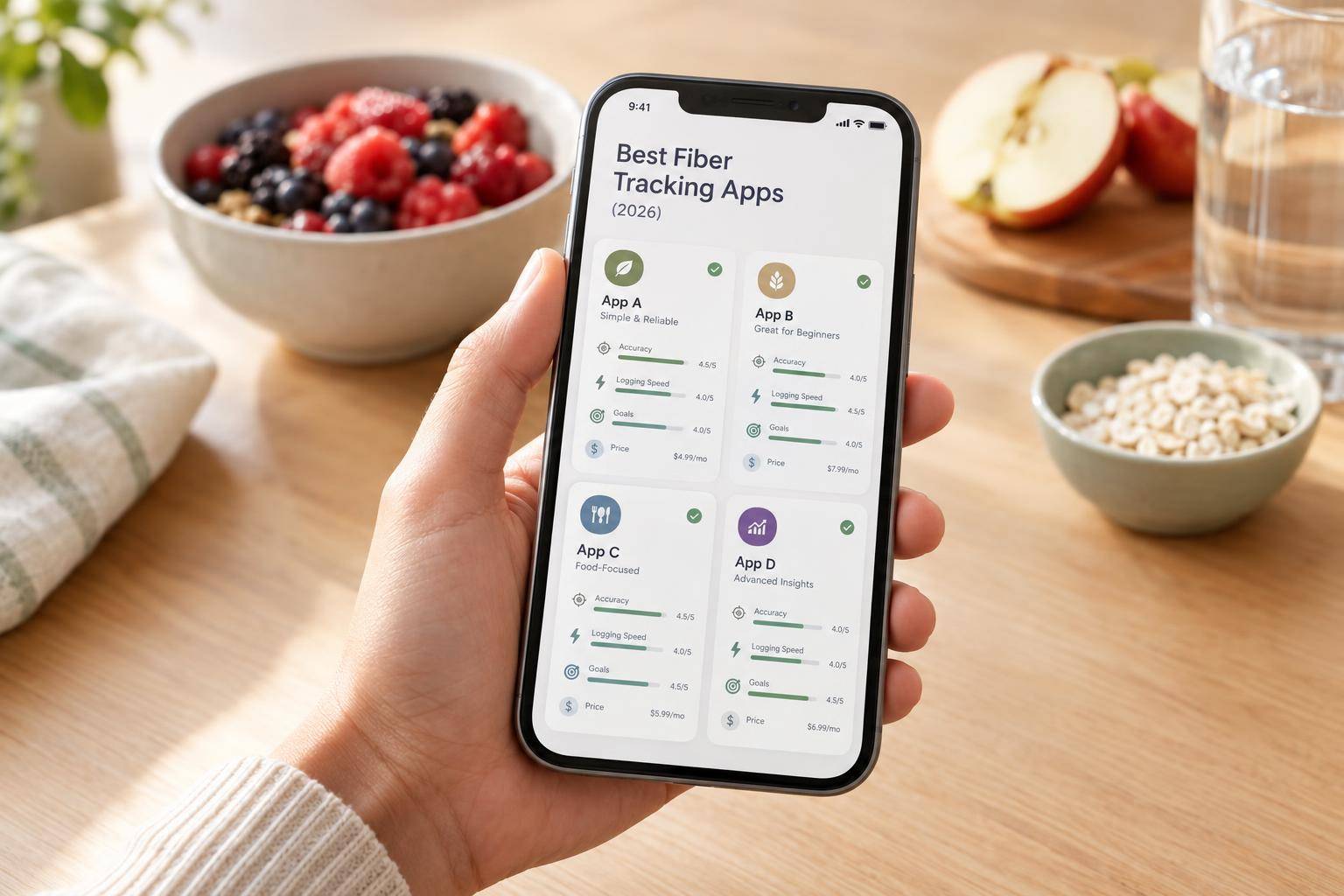
The best fiber tracking app in 2026 depends on which problem you have. If logging speed is what stops you tracking, Welling records a meal from a photo, chat or voice note in 2.6 seconds on average and shows fiber alongside calories and macros. If you want fiber broken into soluble and insoluble grams and sourced from lab-analysed data, Cronometer is the most precise option. MyFitnessPal has the broadest food database but puts fiber goals behind Premium, and MyNetDiary sits between the two with a staff-verified database and free custom fiber targets.
Table of Contents
- Why fiber is the nutrient most trackers treat as an afterthought
- Quick comparison
- The best fiber tracking apps in 2026
- Where the fiber number actually comes from
- What to check before you pay
- Work out your own fiber target
- Frequently asked questions
Most people eat about half the fiber they need, and most of them have no idea, because the app they use to track everything else quietly leaves fiber off the main screen. Calories get a ring. Protein gets a bar. Fiber gets a row in a nutrients sub-menu you have to go looking for, and in several popular apps it gets a daily target only if you pay.
That matters more than it sounds. Fiber is the nutrient where the gap between what people think they eat and what they actually eat is widest, and unlike calories, it is almost impossible to estimate by eye. A bowl of porridge and a bowl of cereal look identical on a table and can differ by 8 grams. The only way to know is to log it and look.
This guide compares four apps on the things that decide whether you will still be tracking fiber in a month: how easy the goal is to find, where the fiber number comes from, how fast logging is, and what it costs.
Why Fiber Is the Nutrient Most Trackers Treat as an Afterthought
Fiber is not a macro in the accounting sense. It contributes very few usable calories, so an app built around energy balance has no structural reason to surface it. That is a design decision inherited from calorie counting, and it is why fiber so often ends up two taps deep.
There is also a data problem specific to fiber. In most food databases, a missing fiber value and a genuine zero look exactly the same: a blank field. Log a chicken breast and a blank fiber field is correct. Log a user-submitted entry for lentil soup and a blank fiber field means nobody filled it in. Your daily total silently absorbs the difference, and the longer you track, the more confident you become in a number that is quietly too low.
This is the single most useful habit for fiber tracking, whichever app you choose: when a high-fiber food shows 0 g, do not believe it. Check the entry.
Quick Comparison
| App | Fiber tracking and data | Logging | Cost |
|---|---|---|---|
| Welling | Fiber on the main screen with calories and macros; AI portion estimates need checking on mixed dishes | Photo, chat, voice, barcode; 2.6 seconds per meal on average | Free plan; 7-day trial on Premium |
| Cronometer | Most detailed. Lab-analysed USDA and NCCDB data; Gold adds soluble and insoluble fiber separately | Manual entry and barcode, free; data-heavy screens | Free tier; Gold around $10.99/month or $59.99/year |
| MyFitnessPal | Daily fiber totals free, but the fiber dashboard and goal views need Premium; many user-submitted entries | Manual entry; barcode scanning is paid | Free tier; Premium around $19.99/month or $79.99/year |
| MyNetDiary | Free custom fiber goal; staff-verified database built on USDA and NCC sources | Manual, barcode and AI meal scanner, free | Free tier; Premium around $8.99/month or $59.99/year |
Competitor prices are the listed U.S. figures at the time of writing and change often. Check the current checkout price and what each tier actually unlocks before paying for a year.
The Best Fiber Tracking Apps in 2026
Welling
Welling’s argument for fiber tracking is that it removes the step where most people quit. Fiber sits on the main screen next to calories, protein, carbohydrates, fat, sodium and sugar, so you see it without going looking, and a meal takes 2.6 seconds to log on average from a photo, a chat message or a voice note.
That speed matters more for fiber than for calories. Fiber comes from a long tail of small contributions, the handful of berries, the side of broccoli, the seeds on the salad, and those are exactly the items people stop logging first when logging is tedious. An app that makes the small stuff cheap to record gets a materially different fiber total than one that does not.
The dietary settings are the other reason it suits fiber specifically. Under Settings, Allergies and Restrictions, you can tell Welling you want to increase fiber, and it factors that into what it suggests through the day. There is a low-FODMAP mode, which matters because increasing fiber and following low-FODMAP pull in opposite directions on foods like onion, wheat and legumes, and a GLP-1 mode that holds protein minimums and fiber targets through medication transitions, where constipation is a common complaint and fiber is usually the fix.
The trade-off is the nature of AI estimation. Fiber in a mixed dish depends on ingredients a photo cannot see, so for home-cooked and composite meals, describe what went in rather than relying on the image alone. It is built for daily habit tracking, not for auditing a diet to the gram.
Welling runs on iOS and Android, with no web app.
Best for: People whose fiber tracking fails because logging is too slow, and anyone combining a fiber goal with low-FODMAP or GLP-1 requirements.
Try Welling free on iOS and Android
Cronometer
Cronometer is the most precise fiber tracker available, and the gap is not close. Its database draws on lab-analysed USDA and NCCDB entries rather than user submissions, which is exactly the difference that matters when a blank fiber field could mean either zero or unknown.
Its Daily Report shows total fiber with a progress bar and, more usefully, ranks the foods contributing most of it. That ranking is the fastest way to learn your own diet: most people discover their fiber comes from two or three sources, which tells them precisely what to change.
Set a fixed gram target on the free tier under Profile, Targets, Fiber. Gold adds the one feature no other app here offers, tracking soluble and insoluble fiber separately. That distinction is clinically meaningful, soluble fiber is the one that moderates blood glucose and binds cholesterol, insoluble is the one that governs transit, and if a doctor has pointed you at one of them specifically, Cronometer is effectively the only option on this list.
The cost is friction. Logging is manual and barcode only, the interface is dense, and on the free tier history and reports cover a seven-day window. Many people run Cronometer alongside something faster, using it for periodic audits rather than daily logging.
Best for: Anyone who needs the soluble and insoluble split, or who wants fiber figures they can trust to the gram.
MyFitnessPal
MyFitnessPal’s case is coverage. Over 20 million entries means the branded, packaged and restaurant foods you eat are almost certainly in there, and for fiber that genuinely helps, because packaged foods are where label data is most reliable and most readily available.
The problem is the paywall and what sits behind it. Free users can see daily fiber totals under Nutrition, Nutrients, and set a target under Goals, Additional Nutrient Goals, but the fiber ring and the grams-remaining view that make a target usable day to day are Premium features. Barcode scanning, the fastest way to log a packaged high-fiber food accurately, is also paid.
The data caveat is the one from earlier, sharpened. Much of the database is user-submitted, so fiber values are frequently missing, outdated or wrong. If a fiber field is blank on a food you know contains fiber, find another entry or check the label yourself. Premium makes logging faster; it does not make the underlying numbers better.
Best for: People already logging in MyFitnessPal who mostly eat branded and restaurant foods, and are willing to pay to make the fiber goal visible.
MyNetDiary
MyNetDiary is the sensible middle. Its database runs to over 2 million foods built on USDA FoodData Central and University of Minnesota NCC data, staff-verified rather than crowd-submitted, which puts its fiber values much closer to Cronometer’s reliability than to MyFitnessPal’s.
What makes it worth a look is how much is free. You can add fiber to your tracked nutrients, set your own daily fiber goal, scan barcodes and use the AI meal scanner without paying, and logs sync across iOS, Android and the web. Most of the apps here charge for at least one of those.
Its limitation is emphasis rather than capability. The app is built around calories first, so fiber is something you switch on and configure rather than something it leads with, and the free tier pushes upgrades fairly persistently. Premium adds coaching and planning tools rather than better fiber data, so the free version is the one most fiber trackers actually want.
Best for: People who want verified food data and a free custom fiber goal, and do not mind setting it up themselves.
Where the Fiber Number Actually Comes From
Database quality matters more than any interface feature on this list, because every fiber total is only as good as the entries underneath it.
| App | Source of the fiber figure | What to watch |
|---|---|---|
| Welling | AI identification with portion estimation, over a verified food database | Describe mixed dishes rather than relying on the photo alone |
| Cronometer | Lab-analysed USDA and NCCDB entries | Prefer generic entries; branded ones more often have gaps |
| MyFitnessPal | Largely user-submitted, with some verified entries | A blank fiber field usually means missing, not zero |
| MyNetDiary | Staff-verified, from USDA and NCC sources | Confirm the product and serving size, especially eating out |
A reasonable test before committing to any of them: log the same three meals in two apps and compare the fiber totals against the packaging. Differences of several grams on the same food are common, and they tell you more about which app to trust than any feature list.
What to Check Before You Pay
| App | The catch |
|---|---|
| Welling | AI portion estimates need checking on mixed and home-cooked dishes. Mobile only, no web app. |
| Cronometer | Soluble and insoluble fiber tracking requires Gold. Free history and reports cover seven days. |
| MyFitnessPal | The fiber dashboard and goal views require Premium, as does barcode scanning. Free tier carries ads. |
| MyNetDiary | Fiber is opt-in rather than front and centre. The free tier pushes upgrades. |
Run your own meals through the free tier or trial for three days before paying. Confirm that you can find your fiber total and your goal in under two taps, because an app that makes you hunt for the number is an app you will stop opening.
Work Out Your Own Fiber Target
Whichever app you pick, it needs a number to track against. The general benchmark is 14 grams per 1,000 calories, with sex and age floors on top, so your target moves with your calorie intake and your goal. Our fiber intake calculator works it out from your age, sex, calorie intake and health goal.
Treat whatever it gives you as a starting point rather than a prescription. Increase fiber gradually over two to three weeks with enough water, and if you have a gastrointestinal or metabolic condition or follow a prescribed diet, agree the target with a clinician first.
Frequently Asked Questions
Why does my app show 0 g of fiber for foods that obviously contain fiber?
Because most databases cannot distinguish “no fiber” from “nobody entered the fiber value”, and both render as a blank or a zero. This is most common in user-submitted entries, which is the bulk of MyFitnessPal’s database and a meaningful share of others. If a food you know is high in fiber reports zero, switch to a generic or verified entry, or check the packaging and enter it as a custom food. Left unchecked, this is the single biggest source of error in a fiber log.
Should I log fiber supplements in my daily total?
Yes. Psyllium husk, inulin and similar supplements contribute real fiber and most apps have database entries for them, so log them as you would food. The one thing worth separating in your own head is that supplemental fiber is mostly soluble, so if you are using supplements to hit a target while eating very little plant food, you are meeting the number without getting the variety that feeds a broader range of gut bacteria.
How do I track fiber in a home-cooked meal with no label?
Build it as a recipe from raw ingredient weights rather than estimating the finished dish. Weigh each ingredient in grams, let the app total the fiber, then save the recipe so subsequent portions take one tap. For this specific job a lab-analysed database like Cronometer’s is the most accurate choice. For speed with reasonable accuracy, describe the ingredients to Welling in chat rather than relying on a photo, which cannot see what went into a sauce or a stew.
Is soluble versus insoluble fiber worth tracking separately?
For most people, no. Hitting a sensible total from varied plant sources gets you a reasonable mix without managing it. It becomes worth tracking when a clinician has pointed you at one of them specifically, soluble fiber for cholesterol or blood glucose management, insoluble for transit issues. In that case Cronometer Gold is effectively the only app here that will show you the split.
Does tracking fiber actually change what people eat?
It tends to, more than tracking most other nutrients, because the gap between perception and reality is so wide at the start. Most people are eating roughly half what they need and do not know it. Seeing a real daily number for a week usually reveals that fiber is concentrated in one or two meals, which makes the fix obvious and specific rather than a vague intention to eat more vegetables.
Track Fiber Without Making It a Chore
The best fiber tracker is the one whose number you will still be looking at in a month. If that has failed before because logging took too long, speed is the variable to fix. If it failed because you did not trust the numbers, data quality is.
Welling logs a meal from a photo, chat or voice note in 2.6 seconds on average, shows fiber on the main screen next to your calories and macros, and will factor a higher fiber target into what it suggests through the day.
Try Welling free on iOS and Android
References
Reynolds, A. et al. (2019). Carbohydrate quality and human health: a series of systematic reviews and meta-analyses. The Lancet, 393(10170), 434–445. https://pubmed.ncbi.nlm.nih.gov/30638909/
Institute of Medicine. (2005). Dietary Reference Intakes for Energy, Carbohydrate, Fiber, Fat, Fatty Acids, Cholesterol, Protein, and Amino Acids. National Academies Press. https://www.ncbi.nlm.nih.gov/books/NBK56068/
Quagliani, D. & Felt-Gunderson, P. (2017). Closing America’s Fiber Intake Gap. American Journal of Lifestyle Medicine, 11(1), 80–85. https://pubmed.ncbi.nlm.nih.gov/30202317/
USDA FoodData Central. Nutrient reference database. https://fdc.nal.usda.gov/