

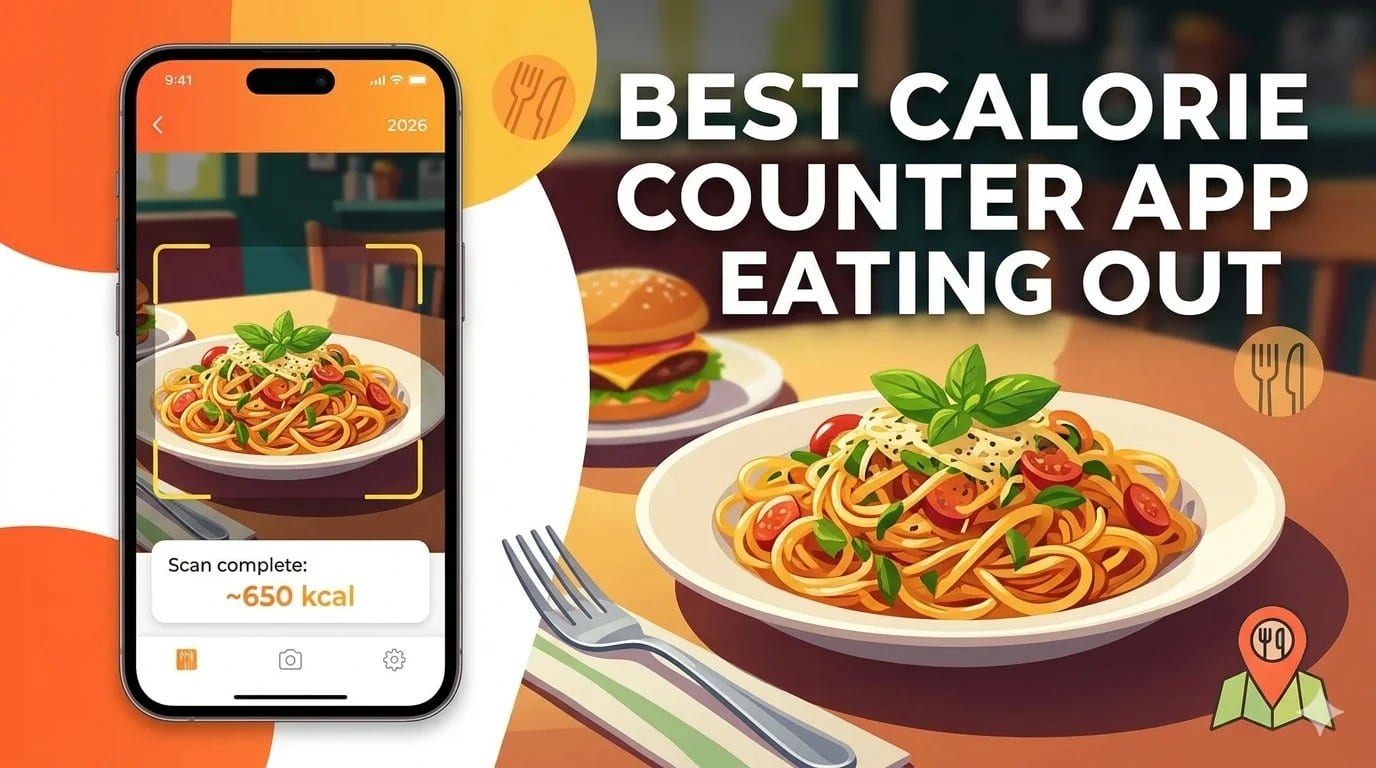
The best calorie counter app for eating out in 2026 is Welling. Its AI-powered chat and photo logging handles restaurant meals, takeaway food, and hawker dishes without requiring a database entry, you describe or photograph your meal and receive an instant calorie and macro estimate. For users who eat frequently at specific chain restaurants with known nutritional data, MyFitnessPal’s large branded database is a useful alternative.
Table of Contents
- Why eating out is where most calorie tracking breaks down
- What to look for in an app for restaurant and takeaway tracking
- The best apps for tracking calories when eating out in 2026
- Strategies for accurate tracking at restaurants
- Frequently asked questions
Eating out is where most calorie tracking habits fall apart. The meal that took three minutes to search for on a Tuesday at home takes ten minutes to estimate on a Saturday night at a restaurant, if you can find a matching entry at all. Many people solve this problem by simply not logging the meal, which is the exact moment when the tracking habit stops being useful and starts feeling optional.
The problem is not lack of motivation. It is that traditional calorie tracking apps were designed around packaged foods with nutrition labels and home-cooked meals built from measured ingredients. Restaurant food, with its variable portion sizes, hidden fats in cooking, and absence of any standardised nutritional data, does not fit that model.
The best apps for eating out in 2026 address this directly. Whether through AI photo recognition, conversational meal logging, or comprehensive chain restaurant databases, they make logging a restaurant meal as fast and accurate as logging anything else. This guide covers the options that actually work when you are away from your kitchen.
Why Eating Out Is Where Most Calorie Tracking Breaks Down
Restaurant meals are harder to track than home-cooked food for three compounding reasons.
The first is portion size variability. A pasta dish at one restaurant and the same named dish at another can differ by several hundred calories depending on how much oil was used in cooking, how generous the portion is, and whether the sauce was made with cream or tomato. There is no single correct entry in any database for “chicken carbonara” because no two versions are the same.
The second is hidden fats and cooking methods. Restaurant cooking routinely uses significantly more butter, oil, and salt than home cooking. A meal that looks like it should be 600 calories based on its visible components is often 900 calories once cooking fats are accounted for. Trackers that use database entries for restaurant dishes without knowing how they were prepared often systematically undercount the calorie content of restaurant eating.
The third is the time and social context of eating out. Logging a meal at a restaurant table in the middle of a social occasion is a different experience from logging lunch at your desk. The context makes the friction of a complicated logging process feel much higher, which means most people skip it rather than deal with the interruption.
The ideal app for eating out is one that makes logging the restaurant meal take no longer than the time between putting down your fork and picking up your phone.
What to Look for in an App for Restaurant and Takeaway Tracking
AI photo recognition or conversational logging is the most important feature for eating out. An app that allows you to photograph your plate or describe your meal in plain language produces a useful estimate far faster than database search, and handles the meal even if no specific database entry exists.
Large chain restaurant databases are useful for users who eat frequently at branded chains. Fast food, casual dining chains, and coffee shop menus with published nutritional data are well covered in major app databases. The value drops significantly for independent restaurants and local cuisine.
Reasonable estimation for unknown foods is what separates a practical app from a frustrating one. When the exact meal is not in the database, an app should be able to produce a reasonable estimate from a description or photo rather than returning nothing or a clearly wrong result.
Speed of logging matters even more in a restaurant context than at home. A process that takes under 30 seconds fits into a meal without disruption. Anything longer feels like an imposition.
The Best Apps for Tracking Calories When Eating Out in 2026
Welling
Welling is the most practical app for tracking restaurant and takeaway meals because it does not need a database entry to log your food. You describe your meal, “grilled sea bass with roasted vegetables and a glass of white wine” or “chicken tikka masala with garlic naan and rice”, and Welling’s AI produces an instant calorie and macro estimate based on the described components.
This approach handles the full range of eating-out scenarios that database apps struggle with. Independent restaurants where no entry exists. Dishes where the restaurant has its own version of a standard recipe. Street food and hawker meals where database coverage is sparse. Sharing plates where individual portion sizes are unclear. For all of these, a conversational description gives Welling enough information to return a useful estimate in seconds.
The photo logging option adds a second route for meals where visual identification is straightforward. Photograph your plate before eating, receive an estimate, and continue the meal without further interruption. For users eating at hawker centres, food courts, and casual restaurants across Southeast Asia, this combination of photo and text logging handles the dietary reality of the region far better than apps built around Western chain restaurant databases.
For accuracy on expensive restaurant meals where the calorie content matters most, adding a brief description alongside the photo, noting cooking method, obvious sauces, estimated portion size, gives Welling more to work with and improves the estimate.
Rated 4.8 on the App Store. 2M+ food logs processed. Free on iOS and Android.
Try Welling free: https://www.welling.ai
MyFitnessPal
MyFitnessPal’s database of over 14 million entries includes verified nutritional data for most major international fast food chains and casual dining brands. If you eat regularly at McDonald’s, Subway, Starbucks, Nando’s, or similar chains with published nutritional information, MyFitnessPal covers these accurately and the barcode scanner speeds up any packaged components.
The limitation appears immediately when you move beyond branded chains. User-submitted entries for independent restaurant dishes vary enormously in accuracy, the same dish name can return entries ranging from 400 to 1,200 calories depending on which submission you select, and there is no reliable way to know which is correct. For this type of eating, selecting any entry requires more judgment than most users apply.
The 2025 AI meal analysis update improved photo recognition for common dishes, but coverage for local and regional cuisine outside the US and UK remains inconsistent.
Best for: Users who eat frequently at major chain restaurants with published nutritional data, where the verified entries give reliable calorie counts.
Lose It!
Lose It!‘s Snap It feature uses photo recognition to estimate calories from restaurant meals and is available in a limited form on the free tier. For simple, clearly plated meals, a burger and fries, a salad, a piece of grilled fish, the estimates are useful starting points. For mixed dishes, sauces, and anything with significant cooking fat that is not visible in the photo, the estimates are less reliable.
The chain restaurant database covers US and major international brands adequately. For eating out at independent restaurants and local food, coverage drops quickly. The interface for manual entry from an imperfect database match is clean and fast, which at least minimises the friction when the right entry is not available.
Best for: Users who primarily eat at major chain restaurants and want a clean, simple interface for fast logging with basic photo recognition as a fallback.
Cronometer
Cronometer is not primarily designed for eating-out scenarios. Its verified database is strongest for whole foods, packaged products with known nutritional labels, and generic dish entries with USDA data. Chain restaurant coverage is limited compared to MyFitnessPal, and there is no photo recognition.
Where Cronometer is useful for eating out is for users who want to log a restaurant meal as a custom recipe by estimating the likely ingredients. This approach produces a more accurate estimate for complex dishes than selecting a random database entry, but it requires significantly more effort and is not practical in a real-time restaurant context.
Best for: Users who want to log restaurant meals at home after the fact with more ingredient-level accuracy, and who are willing to invest the time.
Strategies for Accurate Tracking at Restaurants
Photograph before eating, describe after. Take a quick photo of your meal as soon as it arrives. After eating, add a brief description noting anything the photo might not capture, heavy sauces, cooking method, visible oil, extra toppings. The combination of photo and description gives the best basis for an accurate estimate.
Account for cooking fats explicitly. The most consistent source of underestimation in restaurant meals is cooking fat. Add one to two tablespoons of butter or oil to your estimate for any restaurant dish that involved pan cooking, sautéing, or any visible gloss on proteins or vegetables. This simple adjustment significantly improves the accuracy of restaurant meal estimates.
Use conservative estimates for unknown dishes. When you genuinely do not know whether a dish is 600 or 900 calories, log the higher estimate. Systematic underestimation of restaurant meals is the most common pattern in food diary data. A conservative approach over time produces more accurate weekly averages than optimistic estimates.
Log immediately, adjust later if needed. Logging a reasonable estimate at the restaurant is more valuable than logging nothing because you wanted to find a perfect entry at home. An imperfect entry made in real time is better for building the habit and the data than a skipped meal.
Check menus for nutritional information first. Many restaurant chains publish full nutritional data on their websites or apps. A 30-second check before ordering gives you more accurate data than any post-hoc estimate.
Frequently Asked Questions (FAQs)
Can you accurately track calories when eating out?
Accurately in the sense of laboratory precision, no. Usefully in the sense of maintaining a complete food diary that reflects your real intake, yes. The goal of tracking restaurant meals is not to achieve exact numbers, it is to have a representative record of your eating that is complete enough to produce useful weekly averages. A reasonable estimate logged consistently is more valuable than perfect data collected only on easy-to-track days.
How many calories does a typical restaurant meal contain?
Research on restaurant portion sizes consistently shows that individual meals at casual dining restaurants average 1,200 to 1,500 calories, with many exceeding that significantly when drinks, appetisers, and shared dishes are included. Fast food meals average 800 to 1,200 calories. Fine dining is highly variable. These figures are notably higher than most people estimate when logging from memory.
Should I skip tracking when eating out and just be more careful the next day?
This approach consistently underperforms compared to logging an imperfect estimate. The reason is that “being more careful the next day” in the absence of data is vague and difficult to calibrate, and research shows that people who skip logging restaurant meals systematically underestimate how much those meals affect their weekly averages. An estimate is always more useful than a gap.
Does AI photo recognition work for Asian and local food?
Standard photo recognition is less reliable for regional Asian food than for Western dishes, because most AI food recognition systems were trained primarily on Western food imagery. Welling’s combination of photo and conversational logging handles Asian food more accurately by allowing you to describe the dish alongside the photo, giving the AI more specific information to work from.
What about drinks and alcohol at restaurants?
Drinks are one of the most commonly undertracked categories in restaurant eating. A glass of wine is approximately 120 to 180 calories depending on size. A cocktail ranges from 150 to 400 calories. Beer ranges from 100 to 250 calories per drink. Logging drinks alongside food produces a significantly more accurate picture of what a restaurant meal actually contributed to your daily intake.
Track Every Meal, Even the Ones Away from Your Kitchen
Eating out is not a reason to stop tracking. It is the most important time to track, because restaurant meals are where the biggest surprises in food diary data consistently appear.
Welling makes logging a restaurant meal as fast as taking a photo and sending a message. No database search required. No perfect entry needed. Just an honest estimate logged in seconds, and an AI coach that puts it in context of your day.
Try Welling free on iOS and Android
References
Urban, L. E. et al. (2011). The accuracy of stated energy contents of reduced-energy, commercially prepared foods. Journal of the American Dietetic Association, 111(5), 738–741. https://pubmed.ncbi.nlm.nih.gov/21515121/
Schwartz, J. et al. (2012). The effect of restaurant menu calorie labeling on food choice: a meta-analysis. American Journal of Public Health, 102(8), 1520–1530. https://pubmed.ncbi.nlm.nih.gov/22813087/
Wansink, B. & Chandon, P. (2006). Meal size, not body size, explains errors in estimating the calorie content of meals. Annals of Internal Medicine, 145(5), 326–332. https://pubmed.ncbi.nlm.nih.gov/16954358/
Healthline. (2024). How to Track Calories When Eating Out. https://www.healthline.com/nutrition/track-calories-eating-out